If you love designing in Framer but want full control of your code, a clean export is the key to fast, portable, and SEO-friendly sites. Whether you’re trying to cut costs (Framer too expensive), need a Framer alternative for hosting, or simply want to self-host a Framer site for better performance, the right exporter setup makes all the difference.
In this guide, you’ll learn the best Framer exporter settings to produce tidy HTML, lean CSS, and minimal JavaScript—so you can Download Framer Site assets, deploy anywhere, and iterate like a pro.
What “clean” actually means in a Framer to HTML workflow
- Semantic HTML: Proper tags, accessible structure, and discoverable content.
- Portable CSS: Consolidated styles with predictable specificity and minimal duplication.
- Minimal JS: Only what’s needed for interactions, deferred when possible.
- Logical file structure: A tidy /css, /js, /images hierarchy for long-term maintainability.
- Performance-first: Optimized asset sizes, lazy-loading media, and preloading critical resources.
- SEO-ready: Titles, meta, canonical tags, and alt text intact after export.
The easiest path: ExFlow — Framer Exporter and Downloader
To convert Framer to HTML you can self-host, use ExFlow, a dedicated Framer Exporter and Framer Downloader that turns live sites into static, production-ready bundles. With ExFlow.site, you can:
- Download Framer Site files (HTML, CSS, JS, and images/media) from a live URL
- Export all pages for consistent coverage
- Remove the “Made with” badge when allowed
- Ensure pages are exported with .html extensions
- Add your own script.js and style.css for overrides
- Optionally sync to Git, S3, or FTP, or host directly on ExFlow with a custom domain
Tip: When enabling sync (Git/S3/FTP), you’ll provide credentials—treat these as sensitive and store them securely.
Best ExFlow settings for clean HTML, CSS, and JS
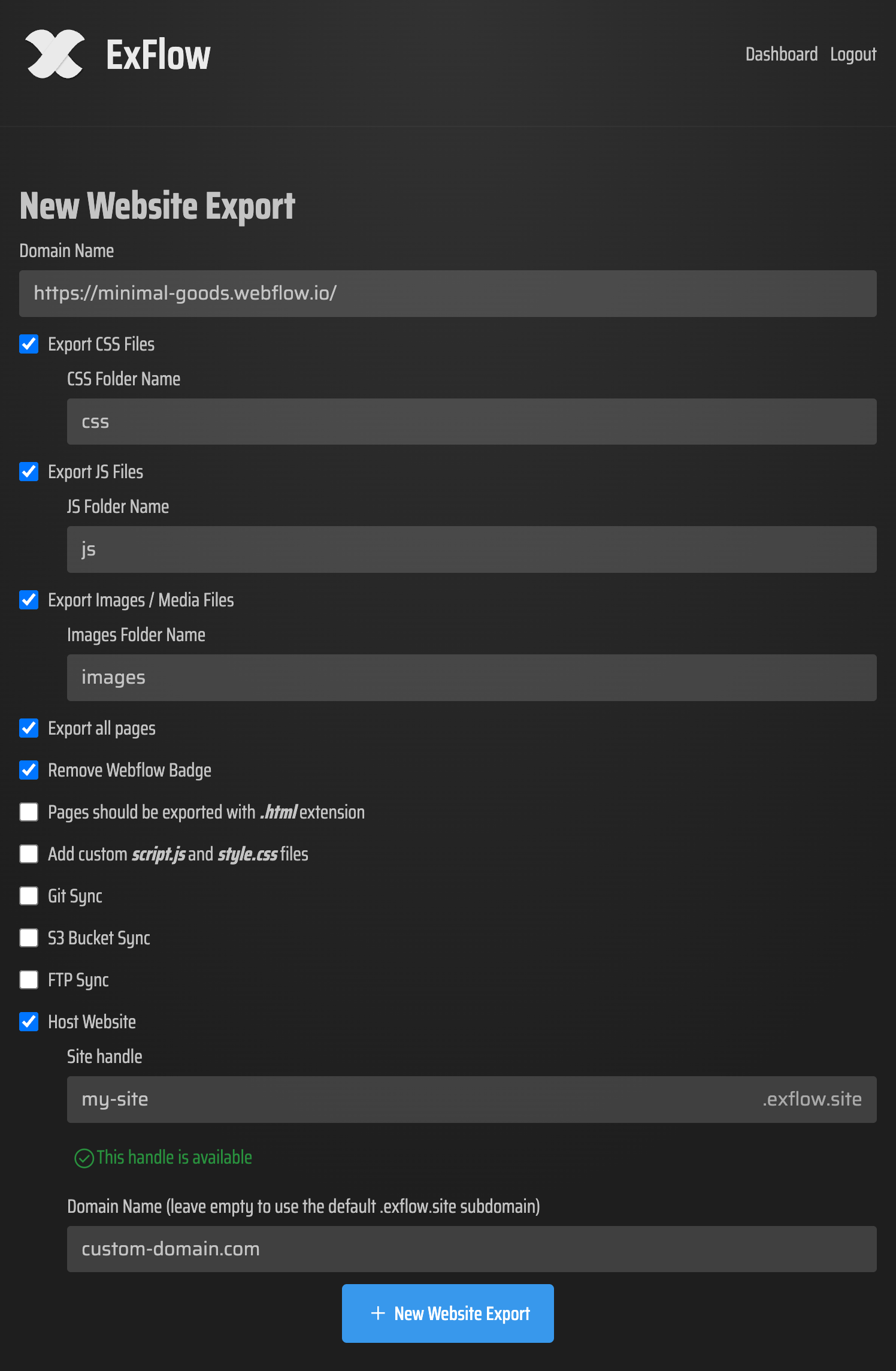
Use this configuration inside ExFlow.site to create a portable, production-ready bundle:
URL
Enter your site’s canonical domain (the one users visit). If you have both www and non-www, pick the primary version to reduce duplicate discovery.
Export CSS Files: ON
Ensures all styles are pulled into external CSS for caching and portability.
Export JS Files: ON
Keeps interaction logic intact while remaining separable from markup.
Export Images / Media Files: ON
Grabs all assets referenced across pages and components.
Export All Pages: ON
Critical for multi-page sites, landing funnels, or content sections. This option helps cover pages reachable via navigation and internal links.
Remove "Made with" Badge: ON (if permitted)
Produces a neutral, white-label output.
Pages exported with .html extension: ON
Essential for clean static hosting across CDNs and simple servers.
Add custom script.js and style.css: ON
Use these to apply global overrides without editing generated assets. Ideal for analytics, cookie banners, UX fixes, or minor style refinements.
Sync Options (optional): Git / S3 / FTP
Choose one based on your deployment flow. For Git-centric workflows, GitHub Pages or Netlify can serve instantly from your repo. For enterprise storage, S3 is lean and scalable. For traditional setups, FTP works with most shared hosts.
Hosting on ExFlow (optional)
Prefer the simplest path? Host directly on ExFlow and connect your domain for a fully managed, static deployment.
Here’s what the configuration step typically looks like:
Pre-export cleanup inside Framer for better results
Do a quick pass in your project before exporting. This keeps the output lean and reduces post-processing work.
- Normalize typography and spacing scales; avoid one-off overrides.
- Consolidate component variants; reduce nested frames that add unnecessary wrappers.
- Remove unused sections, hidden layers, and orphaned components.
- Use consistent color tokens to avoid duplicate CSS declarations.
- Audit interactions; remove heavy or rarely triggered animations.
- Prefer native video/image formats over heavy third-party players when possible.
- Ensure internal links are absolute or correctly relative so the crawler can reach all pages.
- Fill in titles, meta descriptions, and alt text; verify open graph images.
Post-export polishing (fast, optional, recommended)
Even with a great export, a tiny bit of polishing can shave kilobytes and improve scores.
CSS hygiene
Keep the exported CSS as-is, then add small overrides in the custom style.css. If you need to remove obvious dead rules, consider a safe purge pass with a strict safelist. Test thoroughly.
JS loading strategy
Defer non-critical scripts and move analytics into custom script.js. Avoid blocking the main thread on first paint.
Images
Ensure responsive srcsets are preserved. If you later reprocess images, prefer AVIF/WebP with PNG/JPEG fallbacks.
Fonts
Preload primary font files and use font-display: swap to improve CLS and perceived speed.
SEO & indexing
Generate a simple sitemap.xml and robots.txt at the root. Confirm canonical tags render as expected.
Caching
Configure long-lived caching for /css, /js, and /images at your host/CDN. Keep HTML with short TTL for updates.
Recommended deployment flows (choose one)
Git-first (clean diffs + rollbacks)
ExFlow → Git Sync → GitHub Pages/Netlify/Vercel. Every export becomes a commit; easy to track changes and roll back.
S3/CloudFront (scalable static hosting)
ExFlow → S3 Sync → Enable static website hosting → Add CloudFront for global caching.
Traditional server (shared/VPS)
ExFlow → FTP Sync → Verify root index.html and asset paths → Set caching headers.
If you’re new to syncing with Git, this short walkthrough covers the basics: https://www.youtube.com/watch?v=Zvw0qiUKBYk
Common pitfalls when you Download Framer Site code (and fixes)
Route transitions that depend on runtime routing
If transitions were managed by a client router, the static export won’t replicate route-aware animations. Keep essential transitions or gracefully degrade.
Third-party embeds blocking performance
Lazy-load embeds and defer heavy widgets to interaction. Consider static previews.
Forms and dynamic content
Static exports need a backend or serverless endpoint. Plug forms into a lightweight service (or your own API) using custom script.js.
404s and relative paths
Keep .html extensions and verify nav links after export. If you switch hosts, ensure case-sensitive paths remain consistent.
When this approach shines
- Framer alternative for hosting or compliance needs
- Framer too expensive for your traffic tier—self-host to cut costs
- Need full control over performance budgets, headers, or CI/CD
- Want a portable, versionable codebase you can inspect, audit, and extend
Your next step: Export Framer to HTML and self-host
A clean, portable bundle unlocks speed, control, and lower overhead. Set the right toggles, tidy your project, and deploy to the host that fits your stack.
Try the Framer Exporter and Framer Downloader at ExFlow and take full control of your build:
- Start here: https://exflow.site
- Explore hosting and sync options: https://exflow.site
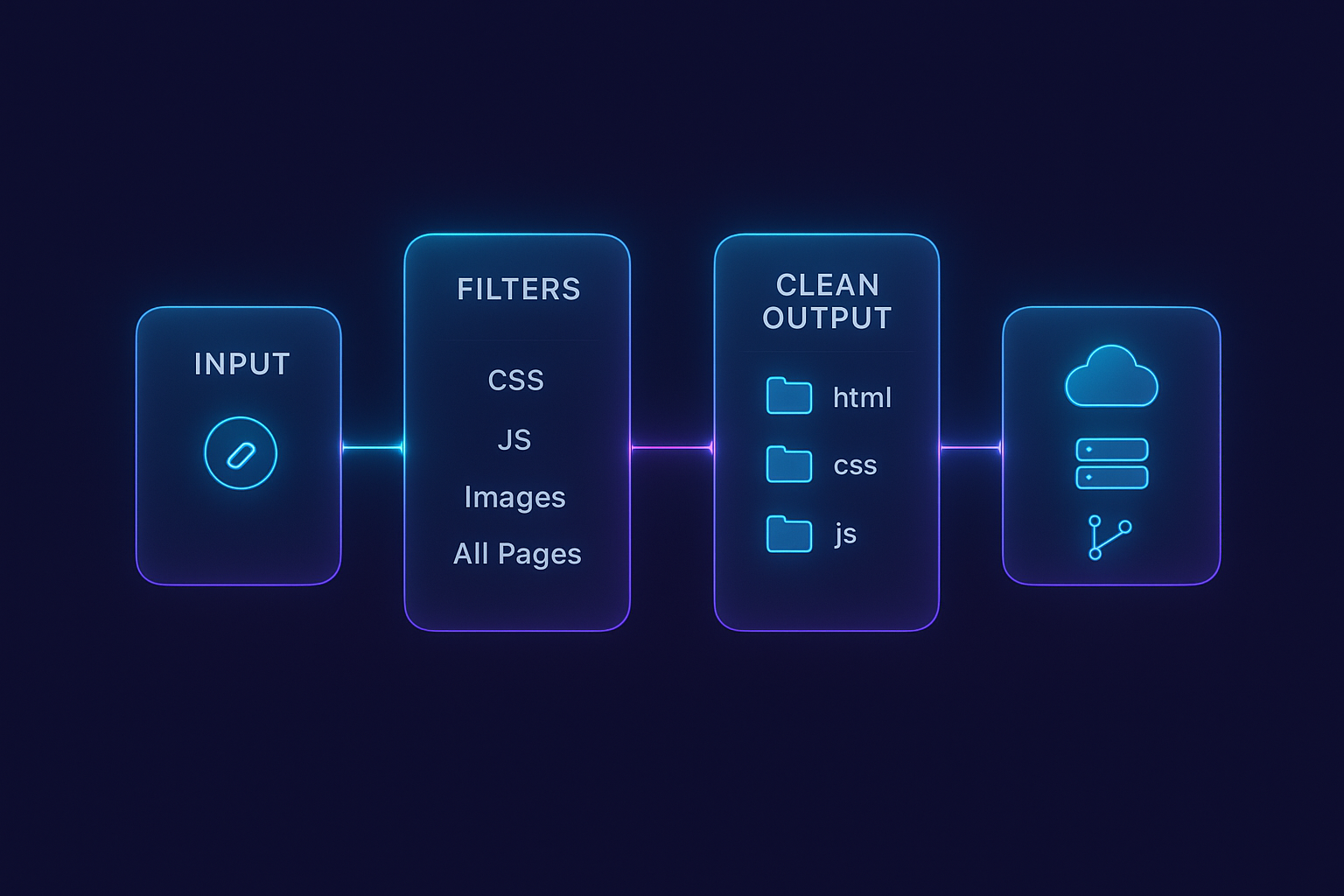
Bonus: Want a broader overview of exporting flows and syncing to Git? Watch: https://www.youtube.com/watch?v=Zvw0qiUKBYk
Respect site ownership and platform terms. Only export sites you own or are authorized to manage. With that covered, you’re ready to ship a fast, tidy, self-hosted site—without sacrificing the creative power of designing in Framer.
Comments
Post a Comment