If you run a faceless channel, you already know the playbook: strong hooks, crisp narration, high-retention visuals, and consistent posting. The hard part isn’t creativity — it’s the grind. In this guide, you’ll learn how to automate faceless YouTube videos end to end using AI video workflows. We’ll use Scrptly’s AI Video Agent to go from prompt to polished video, and show how to scale reliably with N8N automation and developer-friendly APIs.
What counts as a faceless YouTube channel (and why they win)
Faceless channels focus on story, structure, and sound over on-camera presence. Typical formats include:
- Explainers and listicles (e.g., habits, finance, productivity)
- Documentary mini-essays (history, science, tech)
- Tutorials and how-tos (software, niche skills)
- Product roundups and UGC-style reviews
- Motivational and cinematic montages
Why they work:
- Lower barrier to entry: no camera, no studio, no on-screen talent.
- Faster iteration: scripts and visuals are modular and repeatable.
- Scalable production: one workflow powers multiple channels and niches.
The automation edge: AI video workflows
To post consistently and grow, you need a repeatable pipeline. That’s where AI video workflows shine.
- Speed: Go from idea to finished video in minutes.
- Consistency: Keep characters, objects, and environments aligned across scenes.
- Customization: Control length, format, voice, pacing, and style from a single prompt.
- Scale: Schedule and batch-produce videos programmatically.
Enter Scrptly’s AI Video Agent: describe what you want, optionally add context images, and it will research, design characters and environments, generate scenes, add narration, and edit the final video automatically. It especially shines at longer-form content where consistency matters.
Tooling you’ll use
- Scrptly AI Video Agent for prompt-to-video generation: Try Scrptly
- Scrptly’s N8N node to orchestrate automated workflows: Community node
- Optional: Scrptly API + VDK for programmatic video creation in code
- Optional: MCP server to connect Scrptly with your preferred LLM agent
Build an end-to-end automation with Scrptly + N8N
Here’s a practical, repeatable workflow you can copy.
1) Get your API key
- Create an account at scrptly.com and grab your API key from your account page.
2) Install the Scrptly node in N8N
- Go to Settings > Community Nodes > Install New and search for
n8n-nodes-scrptly. - Click Install. Then add the Scrptly node to your workflow.
3) Configure credentials
- In the N8N editor, open Credentials > New > Scrptly API.
- Paste your API key and save.
4) Define your video parameters
- Prompt: Describe the story, format, and style.
- Context images (optional): Logos, product shots, color swatches — anything you want to appear consistently.
- Approve Up To (budget): Token ceiling for generation; default is 10,000.
- Wait For Completion: On by default to get the final video before moving forward.
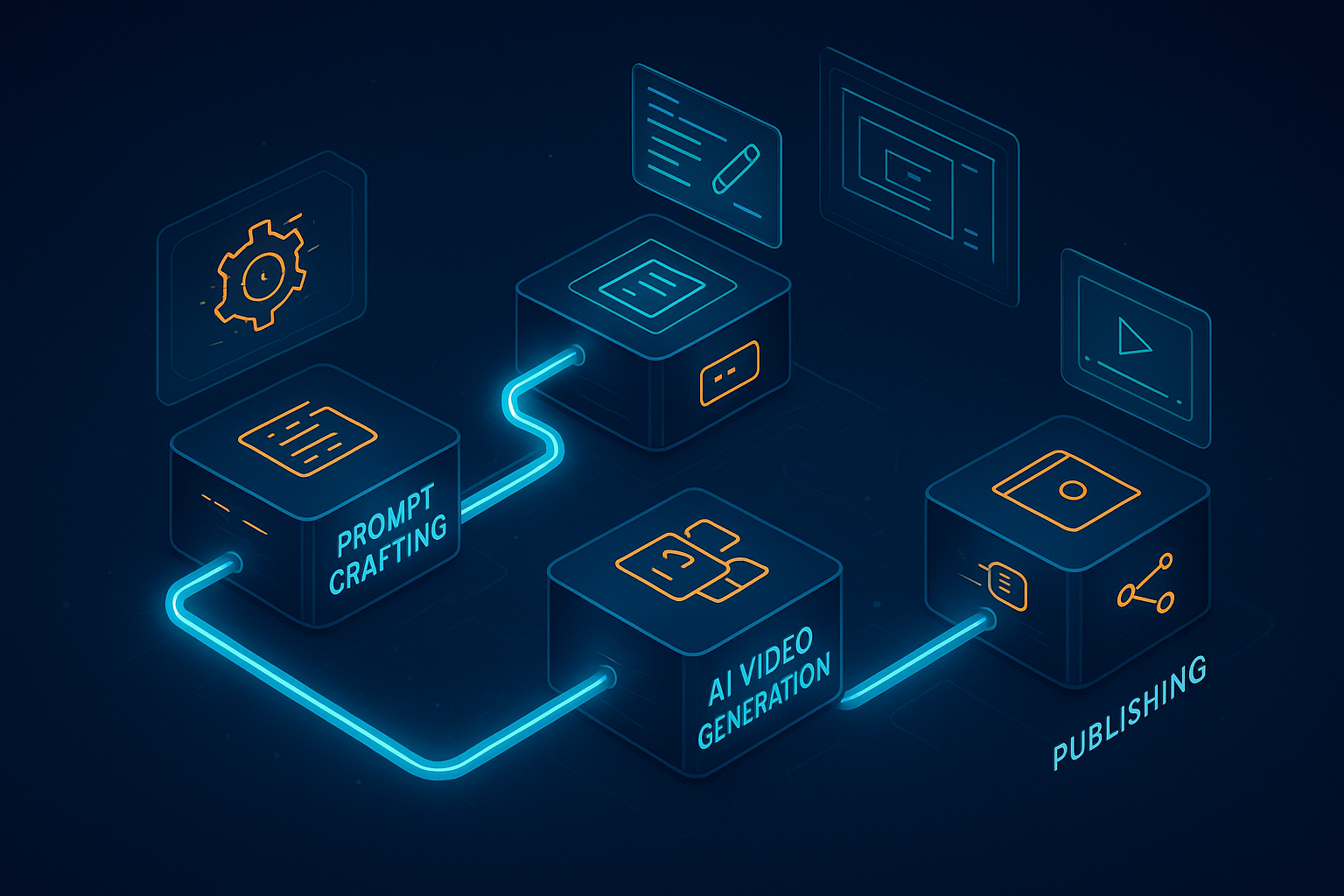
5) Wire your workflow
- Trigger: Schedule (e.g., daily) or Webhook (e.g., publish on demand).
- Scrptly node: Pass your prompt, context images, and budget.
- Post-processing: Upload to storage, post to social, or publish to your channel via YouTube nodes.
A reusable prompt skeleton (copy/paste)
Use a single, well-structured prompt to lock in style and output. Tweak duration, pacing, and voice as needed.
- Format: 6–8 minute narrated explainer with kinetic text and b‑roll. 16:9, landscape. Clean, modern typography. Calm but energetic pacing.
- Voice: Neutral, friendly, authoritative. Natural intonation and paragraph-level emphasis.
- Visual rules: Use consistent color palette (cool neutrals + one accent). Maintain one visual motif (e.g., paper airplane) to appear in scene transitions for identity.
- Structure:
- Hook (first 8–12 seconds): surprising stat or tension.
- Body: 5 segments with pattern breaks every 20–30 seconds.
- Wrap-up: memorable line + soft CTA to subscribe.
- Accessibility: On-screen captions. Legible at mobile sizes.
- Output: Single final video with clean edit and cohesive soundtrack.
Example prompts you can drop into the Scrptly node:
- Productivity niche: 'Create a 7-minute faceless explainer titled Five Micro-Habits That Compound Your Focus. Use cinematic b‑roll, light kinetic text, and a consistent paper-airplane transition motif. Neutral, confident narration. 16:9. Add captions and subtle whoosh transitions every 25 seconds to maintain retention.'
- Finance niche: 'Generate a 6-minute breakdown called How Index Funds Quietly Beat Most Investors. Blend clean charts and lifestyle b‑roll. Use a cool neutral palette with a gold accent for emphasis. Neutral, trustworthy narration. Include captions and clear takeaways at the end.'
- Tech history: 'Produce an 8-minute mini-doc on The Hidden History of Early Home Computers. Mix archival-style imagery, tasteful motion graphics, and a retro-futurist color grade. Add chapter cards, captions, and a reflective closing line.'
Tip: Upload context images (logo, product, color swatch) to keep identity consistent across videos.
Why Scrptly nails faceless workflows
- Character and object consistency: Feed reference images once; get coherent scenes throughout longer videos.
- Long-form strength: Handles research, scene design, narration, and edits for 5–10+ minute pieces.
- Full customization via prompt: Style, framing, pacing, voice, duration, aspect ratio.
- Integrations for scale: API, MCP server, and N8N integration.
Developer corner: programmatic video creation
Want to generate and publish dozens of videos per week? Use Scrptly’s Video Development Kit (VDK) and API.
Install and authenticate:
npm install scrptly
# or
yarn add scrptly
import Scrptly from 'scrptly';

Scrptly.setApiSettings({
  apiKey: 'YOUR_API_KEY_HERE', // keep this in env vars
});
With the API and VDK, you can:
- Generate videos from prompts at scale
- Add captions and text-to-speech narration automatically
- Integrate with your internal CMS, schedulers, and analytics
- Orchestrate with agents via MCP for end-to-end content ops
Explore what’s possible and get your key at scrptly.com.
YouTube SEO and retention checklist (optimized for faceless channels)
- Nail the first 10 seconds: promise, tension, or contrarian insight. Tell Scrptly to craft a punchy hook.
- Pattern breaks: request visual or musical shifts every 20–30 seconds to reset attention.
- Kinetic text and captions: include readable on-screen text; design for mobile first.
- Descriptive filenames and metadata: episode number, main keyword, and unique angle.
- Chapter markers: list segments in your description to boost UX and watch-time.
- Evergreen thumbnails: unify palette and iconography so your catalog looks cohesive.
- Consistent posting: schedule via N8N + Scrptly; keep a content calendar.
Putting it all together
- Draft your prompt once using the skeleton above.
- Upload brand/context images to lock identity.
- Automate with the Scrptly N8N node: trigger, generate, publish.
- Scale further with the API, MCP, and VDK when you’re ready.
Ready to turn prompts into polished videos on autopilot? Start with the Scrptly AI Video Agent and ship your next faceless upload today.
Comments
Post a Comment