Creating long-form AI videos that stay visually consistent isn’t magic—it’s method. With context images and a powerful AI video agent like Scrptly, you can lock in characters, products, and environments across minutes (not just seconds) of story. In this guide, you’ll learn the exact workflow to generate long-form consistent videos, how to set up prompts that remove ambiguity, and how to use Scrptly’s ecosystem (UI, API, MCP, and N8N) to scale it.
Try Scrptly — the AI Video Agent that turns prompts into ads, product showcases, anime, or short films.
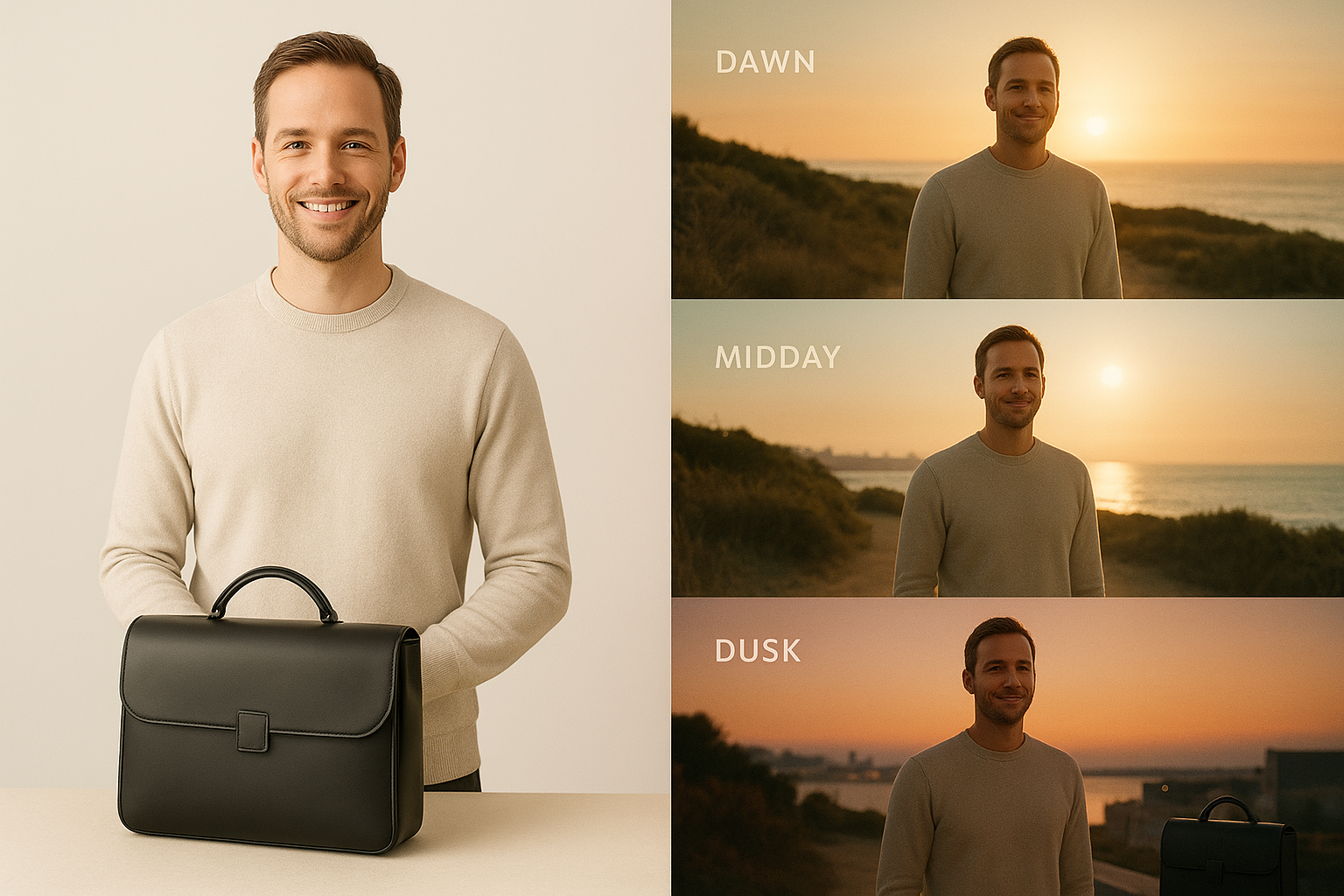
Why Context Images Are the Secret to Long‑Form Consistency
Phrases like "keep the same character" or "use my product across scenes" don’t always translate without concrete visuals. Context images give Scrptly’s AI Video Agent precise anchors—face shape, product texture, logos/marks, fabric grain, or scene motifs—so it can:
- Maintain character identity and wardrobe across sequences
- Keep product details accurate (stitching, finishes, colorways)
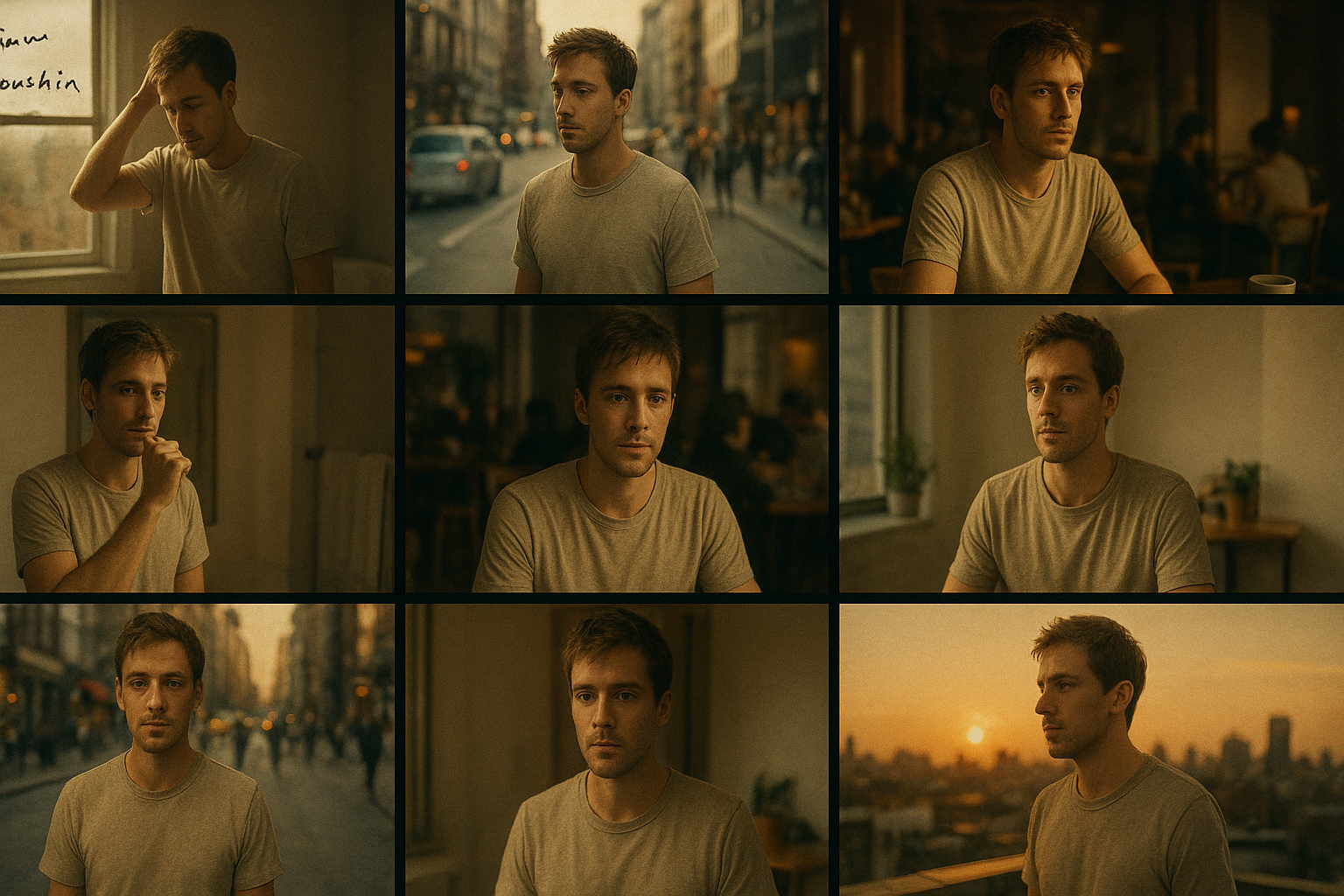
- Preserve environment motifs (café interior, workspace, city skyline)
- Avoid continuity drift during longer narratives
Scrptly excels at character and object consistency when you include context images. It combines a swarm of AI sub-agents (research, screenplay, narration, editing, character design, and more) to plan, generate, and edit a final, ready-to-publish video—no manual stitching required.
What You Need
- A clear prompt describing the story, beats, and style
- 2–8 high-quality context images (characters, products, key environments)
- A Scrptly account: https://scrptly.com/
- Optional: workflow automation with Scrptly’s N8N node or programmatic generation via API
Step-by-Step: Generate a Long‑Form Consistent Video in Scrptly
1) Describe your video in the prompt
- Specify narrative arc: acts, beats, or chapters
- Define character names, roles, and goals
- Include tone, pacing, and camera style
- Set orientation (portrait/landscape), target length, and platform
2) Upload context images
- Characters: neutral front, 3/4 view, and side profile; consistent lighting when possible
- Products: multiple angles, clean backgrounds, detail close-ups
- Environments: wide establishing images (even smartphone photos work)
3) Customize your generation
- Choose style (cinematic, documentary, UGC, anime, surreal, etc.)
- Indicate voiceover preference, music energy, and on-screen captions
- Provide any recurring visual motifs (e.g., "golden-hour reflections")
4) Generate and review
- Scrptly’s sub-agents write, design, narrate, and edit automatically
- Review the final video and iterate by improving prompt specificity or swapping context images
Create your first video and see consistent scenes emerge even across longer runtimes.
A Proven Prompt Framework for Consistency
Use this template to remove ambiguity and boost scene-to-scene coherence.
Title: [Your Project Title]
Format & Length: [e.g., 16:9 cinematic, 3–5 minutes]
Style: [cinematic documentary / UGC / animated / surreal]
Audience & Platform: [e.g., YouTube audience interested in productivity]
Tone & Pacing: [inspiring, calm, medium pace, subtle background score]

Characters:
- [Name], [age/role/persona], [defining traits]
- [Optional supporting characters]

Visual Consistency Notes:
- Maintain [character wardrobe/colors] throughout
- Keep [product] visible in [X% of shots]
- Reuse [environment motif] in each act

Story Beats (with scene intent):
- Act 1: [Hook + Problem]
- Act 2: [Process / Journey with 3 key scenes]
- Act 3: [Resolution + CTA]

Cinematography:
- Camera: [slow push-ins, tripod interview, handheld b-roll]
- Lighting: [soft daylight / warm interiors]
- Color: [natural, slightly warm]

Voice & Captions:
- [Voice gender/tone], include captions for all dialogue

Output:
- Include chapter markers and clean transitions; export ready to publish
Example (Ecommerce UGC Ad):
- “16:9, 2–3 minutes, natural UGC feel, calm pacing. Character: Maya, 28, skincare enthusiast. Maintain the same minimalist white top and gold hoop earrings. Keep our eco skincare bundle visible in 60% of b‑roll. Act 1: Unboxing excitement. Act 2: Routine demo (morning/night). Act 3: Results and testimonial. Camera: handheld + close-ups of texture. Warm color grade. Soft acoustic music. Include captions.”
Preparing Great Context Images
- Resolution: Use high-res (at least 1080px longest side) images
- Lighting: Soft, even light—avoid mixed temperature scenes
- Angles: Provide a neutral front, 3/4, side; product front, back, 45°, macro
- Backgrounds: Prefer clean backgrounds to minimize visual noise
- Wardrobe/Props: Decide “signature” choices you want to persist
- Diversity: If you want multiple recurring locations, include representative images of each
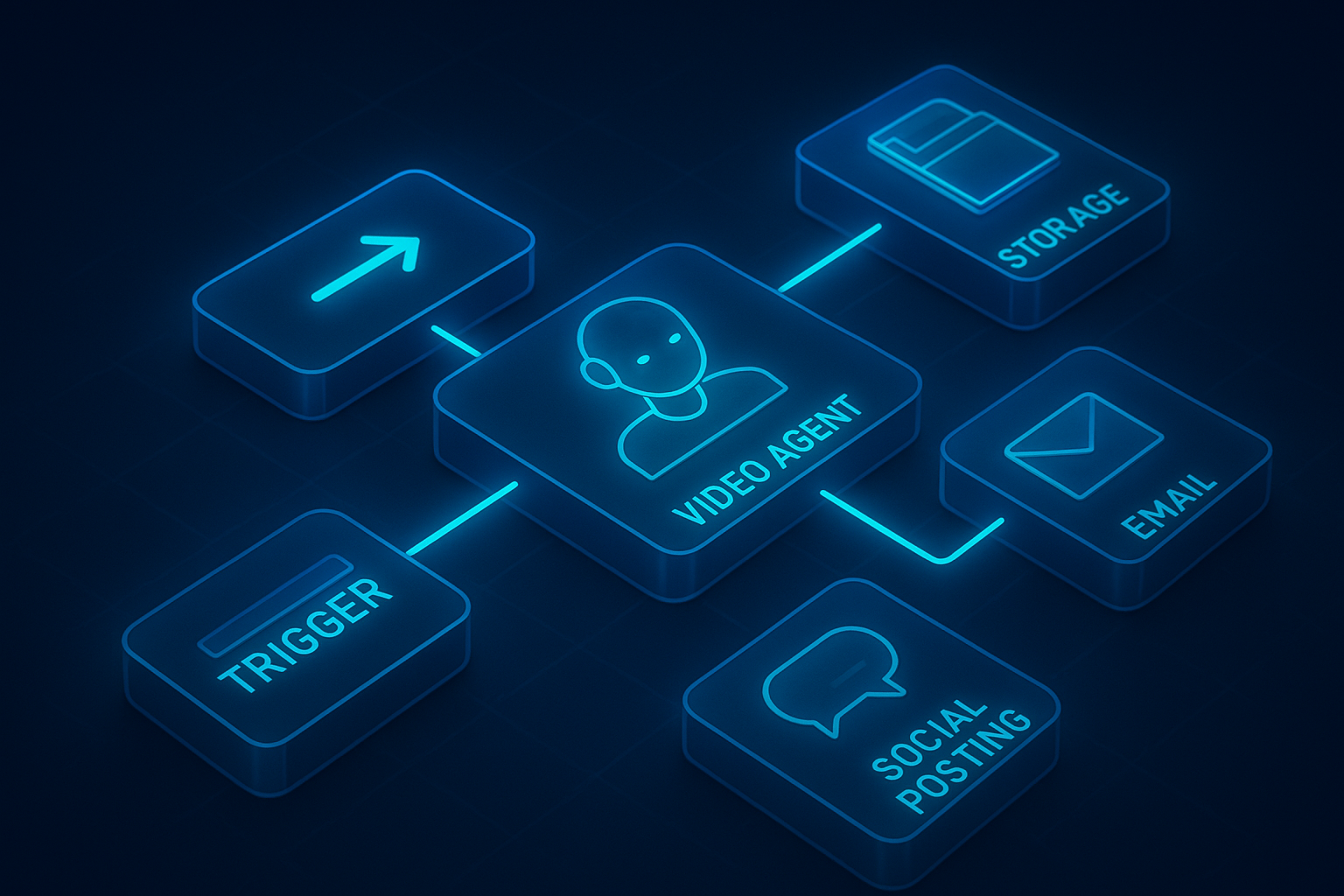
Automate Long‑Form Series with N8N + Scrptly
You can generate multiple episodes or product variations on a schedule using Scrptly’s N8N node.
Quick setup:
- Install: In N8N, go to Settings > Community Nodes > Install New and search for n8n-nodes-scrptly
- Configure: Add your Scrptly API key as credentials
- Define: Set the prompt, context images, and budget (Approve Up To)
- Run: Keep “Wait For Completion” on to chain post-processing steps, or disable it to return a task ID immediately
Example workflow ideas:
- Weekly YouTube docu‑series: Webhook trigger → Scrptly node (new episode prompt + shared context images) → Upload to cloud → Auto-publish draft
- Ecommerce catalog: Schedule trigger → Loop over products with their context photos → Scrptly node → Post to social channels
More info and source: https://github.com/ybouane/n8n-nodes-scrptly
For Developers: Programmatic Video Creation
Scrptly offers a Video Development Kit (VDK), an API, and an MCP server for agent-to-agent integrations. This makes it simple to build scalable pipelines for programmatic video.
- Install the SDK:
npm install scrptly
# or
yarn add scrptly
- Authenticate safely:
import Scrptly from 'scrptly';

Scrptly.setApiSettings({
  apiKey: process.env.SCRPTLY_API_KEY,
});
- Build custom workflows: Create videos via code, generate captions, leverage text-to-speech, and integrate with your own systems. Pair with the MCP interface to orchestrate multi-agent flows.
Explore the platform and API: https://scrptly.com/
Troubleshooting Consistency (And How to Fix It)
- Character drift mid‑video: Provide more angles of the face and a clear wardrobe context image; add “maintain same [wardrobe/hairstyle/accessory] across all scenes” to your prompt.
- Product detail inaccuracies: Add macro shots and neutral‑background images; mention exact material/finish in the prompt.
- Environment mismatch: Include at least one establishing photo per recurring location and specify time-of-day continuity.
- Overly busy edits: Define pacing explicitly (e.g., “medium pace, average shot length ~3–4 seconds, minimal jump cuts”).
- Voiceover tone off: State voice qualities (calm, confident, conversational) and desired energy level; request captions for clarity.
Use Cases That Shine with Context Images
- Ecommerce: Consistent product reels, UGC unboxings, and seasonal catalogs
- Entertainment creators: Episodic shorts keeping hero characters and worlds intact
- Educators/Researchers: Multi‑chapter explainers with recurring hosts and diagrams
- Agencies: Brand‑consistent ads at scale across markets and languages
Scrptly specializes in long-form generation and scene-to-scene consistency. With a strong prompt and solid context images, you can go from idea to finished film in one pass.
Ready to create your long‑form, consistent AI video?
- Start now: https://scrptly.com/
- Automate with N8N: https://github.com/ybouane/n8n-nodes-scrptly
Your story deserves continuity—and Scrptly’s AI Video Agent makes it effortless.
Comments
Post a Comment