
If you already use Claude Code in a terminal, the cleanest local automation pattern is to script the session you already trust instead of inventing a separate headless path. That is the niche dash-p fills: it launches the official claude command, drives the real interactive TUI, and exposes both a CLI and a query() API for TypeScript.
That boundary still matters. Anthropic's current help center says the planned Agent SDK credit changes are paused for now, and interactive Claude Code in the terminal or IDE still counts against your subscription usage limits. If you want production-scale automation, the Claude Platform pricing docs still point you to token-based billing. If you want your own local workflow to stay close to the terminal session you already use, dash-p is the more direct tool.

When This Approach Makes Sense
I reach for dash-p when the task is local, repeatable, and still benefits from the real Claude Code session. A few examples:
- Summarizing a repository before I open a ticket.
- Drafting a changelog or release note from a terminal session.
- Turning a prompt into structured output I can feed into another script.
- Wrapping a one-off developer workflow without building a server-side service.
That is the practical difference. dash-p is not trying to replace Claude Code, and it is not trying to be a hidden API wrapper. It is a small bridge that makes the existing interface scriptable.
What dash-p Actually Does
The implementation is simple enough to explain without hand-waving. It starts the official claude binary, injects input programmatically, reads the rendered terminal output, and packages that interaction into a command-line tool and a query() API.
- You keep the same Claude Code account and local session.
- You keep the same permission model and terminal workflow.
- You add automation where it is useful, not everywhere by default.
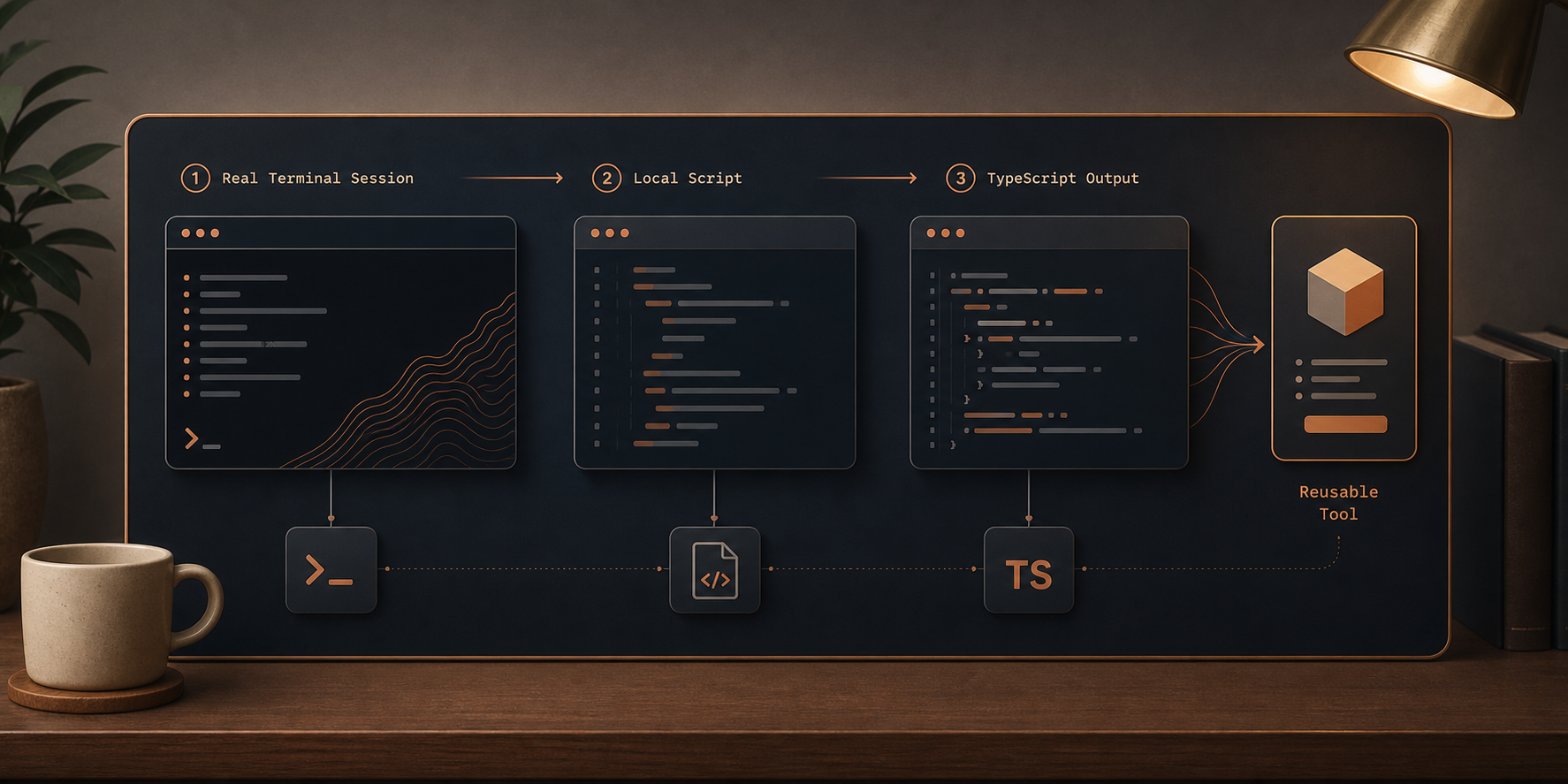
That also means the tool inherits the strengths and weaknesses of terminal automation. It is powerful because it uses the real interface. It is fragile for the same reason. I would use it for personal tooling, workflow experiments, and developer productivity scripts, not as a hidden dependency in something that must never break.
A Minimal Setup
The fastest way to see the shape of the tool is the CLI:
npm install -g @ybouane/dash-p
dash-p "summarize this repo"
For TypeScript, the SDK-style surface is the more interesting part:
import { query } from "@ybouane/dash-p";

for await (const msg of query({
  prompt: "In one sentence, what is a pseudo-terminal?",
  options: { model: "sonnet", includePartialMessages: true },
})) {
  if (msg.type === "result") console.log(msg.result);
}
That shape is useful because it stays easy to compose. You can feed the result into a shell pipeline, a local script, or a small internal tool without first standing up a separate API service.

How I Decide What To Use
I use a simple split.
- Use dash-p when the work is local, personal, and still anchored to the Claude Code session you already use by hand.
- Use the Claude Platform API when the automation needs to be server-side, scalable, or detached from the desktop session.
- Use the Agent SDK when the SDK surface itself is the thing you want to build on.
If you want the surrounding tradeoffs and implementation patterns, these earlier posts cover the adjacent angles:
- How to Automate Claude Code Without Switching to the Agent SDK
- How I Keep Claude Code Scriptable After the Agent SDK Split
- How I Automate the Real Claude Code TUI With dash-p
- How to Automate Claude Code From a Shell Script
- How I Script Claude Code Locally With dash-p

Where I Draw The Line
Two caveats matter.
First, TUI automation inherits the brittleness of the interface it drives. If Claude Code changes how it renders or accepts input, the bridge may need maintenance. That is normal for this kind of tooling, but it is still a real cost.
Second, this is a local workflow tool, not a way to dodge authentication, policy, or billing. The value is composability: you keep your normal Claude Code account and session, and you add just enough scriptability to make repeat work faster.
If that is the problem you are trying to solve, the next step is straightforward: read the GitHub repo and try one small script that summarizes a repository or structures a prompt before you reach for the API. You can install @ybouane/dash-p from npm when you are ready, but the link itself is not necessary here.
For the current Claude billing and usage boundary, these Anthropic pages are the useful references: Claude Code with Pro or Max, the Agent SDK help article, and Claude pricing.
Comments
Post a Comment