Why Lifestyle Product Photos Matter For Shopify
Lifestyle product photos do more than look pretty—they help shoppers imagine your product in their world. Compared to plain white-background images, lifestyle shots can:
- Increase product page engagement and time on page
- Reduce hesitation by showing real-life scale and context
- Improve click-through rates from collection pages and ads
- Strengthen brand identity with consistent visuals
The best part? You no longer need a studio, props, or a photographer to achieve this. With AI product photography, you can turn one basic image into an on-brand lifestyle gallery in minutes.
The No-Studio Shortcut: AI-Powered Lifestyle Images
If you sell on Shopify and want fast, consistent, conversion-ready visuals, try the Shopify app Supra AI Photo Studio. It transforms simple product photos into high-conversion assets—no design experience needed. Explore the full feature set here: Supra AI Photo Studio — Landing Page.
Core features for lifestyle images and more:
- Background remover and smart replacements
- Object placement to drop products into kitchens, boutiques, nature, studios, and more
- AI Try-On for fashion: choose or create realistic models, control body type and skin tone
- Auto-enhance, denoise, deblur, and color/lighting correction
- Upscaling for crisp, high-resolution images
- UGC-style and B-roll video generation for ads, Reels, and TikTok

Step-by-Step: Create Lifestyle Product Photos Without A Studio
Follow this simple workflow to go from a plain shot to a polished lifestyle set in minutes.
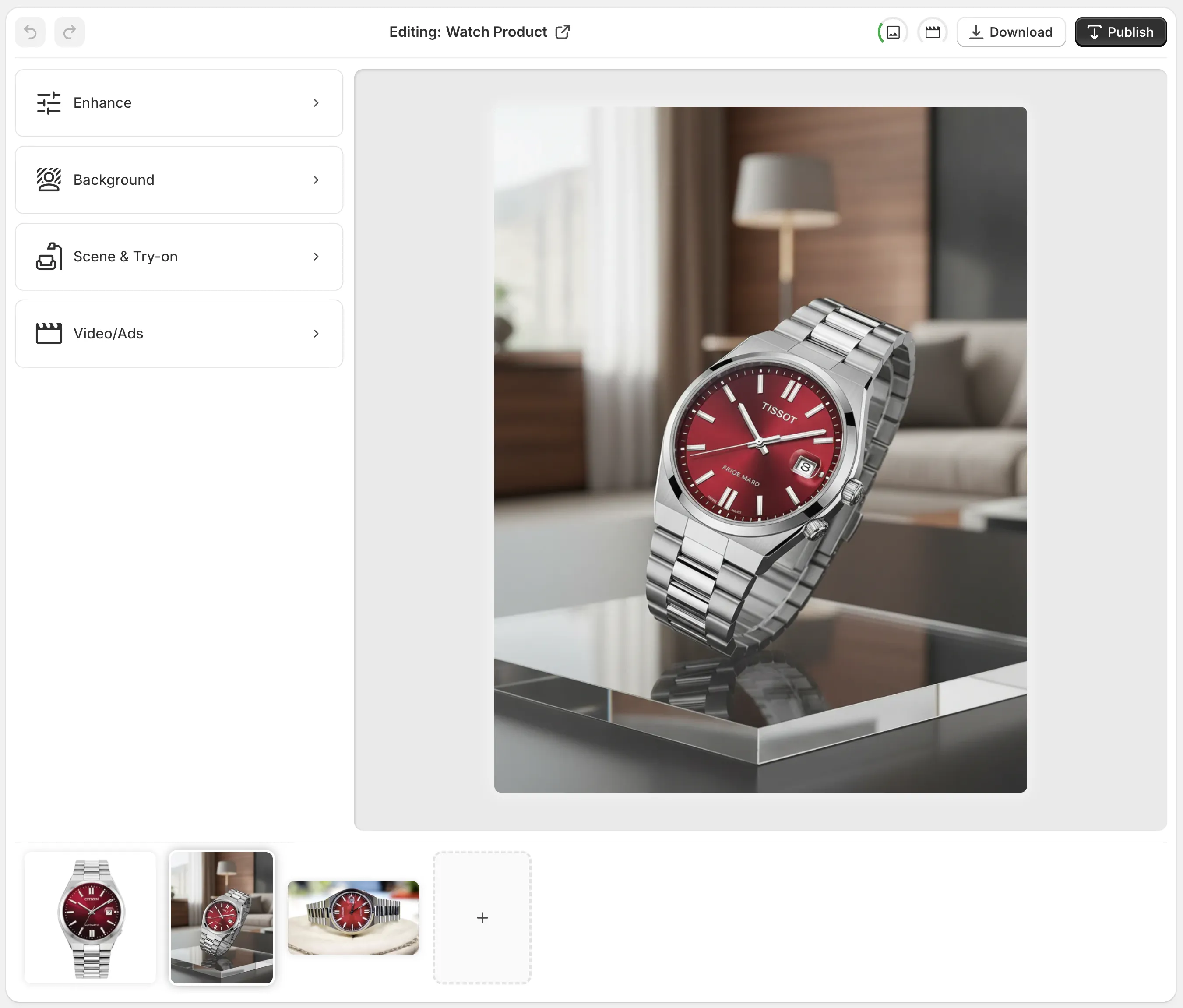
1) Start with a clean base image
Upload your existing product shot—even if it’s on a cluttered background. Use:
- Background Remover to isolate your product cleanly
- Auto Enhance to fix exposure, color casts, and contrast
- Upscale to ensure Shopify-ready sharpness on retina screens
Pro tip: For best results, start with a reasonably high-res photo. If possible, photograph your product in soft, even light to minimize harsh shadows.
2) Choose the lifestyle concept
Decide where your product naturally lives and how your customer uses it:
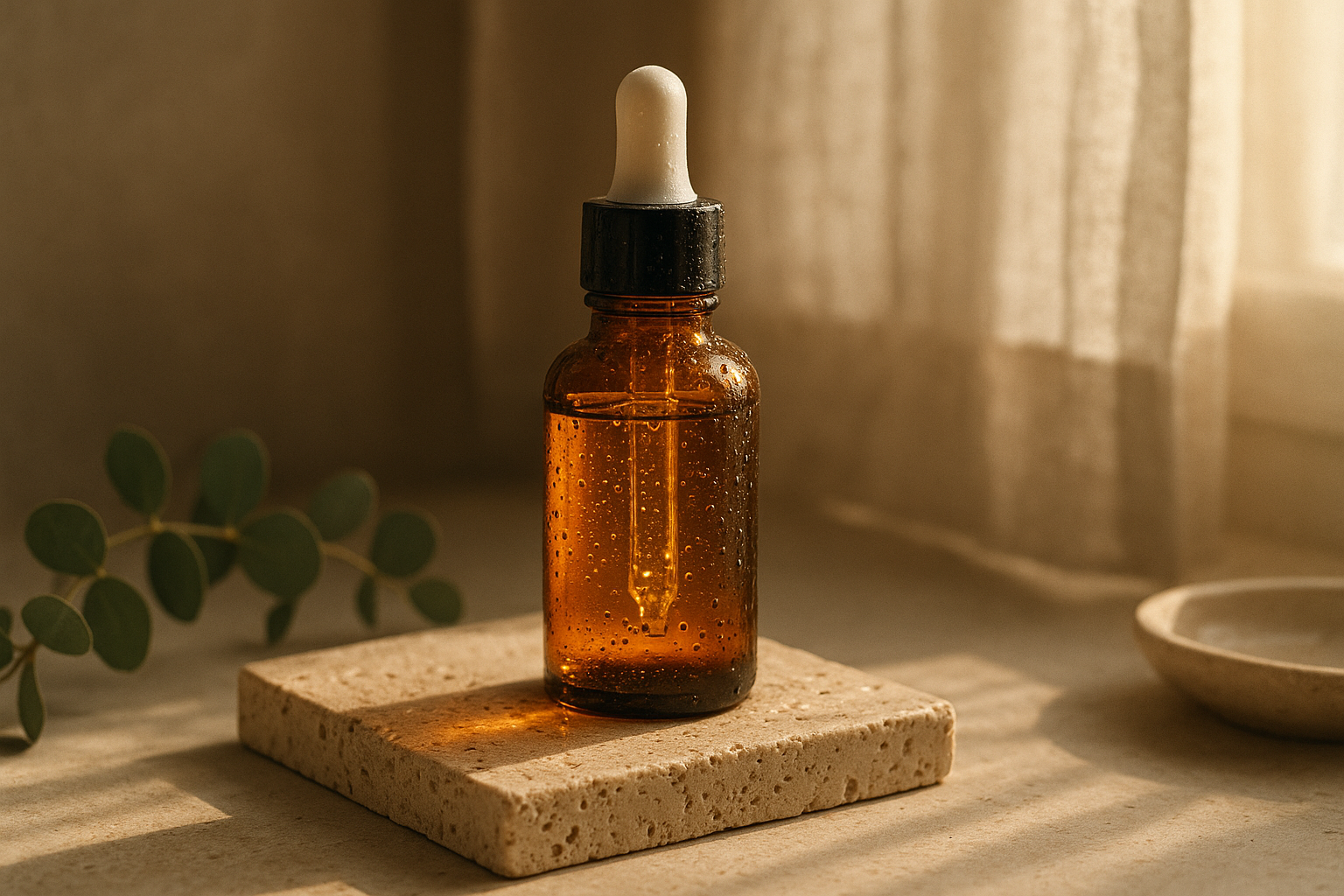
- Kitchen counter with warm, morning light for cookware or wellness
- Boutique display or marble plinth for jewelry and premium accessories
- Campsite table or forest path for outdoor gear
- Minimal studio with colored seamless paper for tech and modern home goods
Open Object Placement, then set:
- Environment (kitchen, office, outdoors, boutique, studio)
- Surface material (wood, stone, acrylic, fabric)
- Camera angle (top-down, 45°, eye-level, macro)
- Lighting vibe (golden hour, soft daylight, moody sidelight)
3) Match lighting and perspective for realism
Consistency is everything. Keep shadows, reflections, and scale believable:
- If your original photo has soft daylight, pick a similar lighting style
- Align the camera angle (e.g., eye-level vs. top-down)
- Choose surfaces that match your brand palette and price point
4) Fashion? Use AI Try-On for instant on-model shots
For apparel, accessories, and jewelry, AI Try-On lets you showcase fit and style fast:
- Pick from a library of realistic models or create your own
- Adjust pose, body type, and skin tone for inclusivity
- Preserve true product details—fabric, pattern, colors stay accurate
5) Build a consistent set for collections and ads
Don’t stop at one image. Create a mini set that tells a story across your product page:
- Hero lifestyle shot (context + emotion)
- Detail macro (texture, stitching, finish)
- Scale or in-use shot (hand, countertop, pocket)
- Clean white-background for specifications
Use similar backdrops and lighting across your catalog to visually unify your store.
6) Publish and A/B test on Shopify
Export your images and publish directly to your product gallery. Then test:
- Collection thumbnail: lifestyle vs. studio
- Product hero: eye-level vs. top-down
- Ad creative: static lifestyle vs. B-roll clip
Track click-through rate, add-to-cart rate, and conversion—double down on what wins.
Go Beyond Photos: Quick UGC and B‑Roll for Ads
Short-form video drives discovery on social. Supra AI Photo Studio can turn a product image into:
- UGC-style clips with voice and on-trend pacing for TikTok and Reels
- Cinematic B-roll with dust, liquid, or smoke effects, preserving product details
Preview the vibe here: Watch the quick demo and explore UGC generation on the app listing.
Pro Tips For Photo-Real Results
- Isolate first: Use the "Isolate Product" step before Object Placement or Try-On so the AI focuses on your item.
- Start specific: Add clear guidance in the tool—e.g., "top-down on walnut table, morning light, soft shadows, scale like a coffee mug."
- Keep textures honest: Pick surfaces and lighting that match your category (matte ceramics, brushed steel, velvet, etc.).
- Mind color accuracy: Use Auto Enhance cautiously; compare to your real product to avoid returns.
- Build templates: Reuse winning environments/surfaces to speed up new product launches.
- Optimize for Shopify: Export at high resolution and modern aspect ratios (1:1, 4:5, or 16:9 for hero banners).
Pricing & Getting Started
You can try it free: install Supra AI Photo Studio on the Shopify App Store. The Free plan includes image generations to test your workflow, with paid tiers offering larger quotas for growing catalogs and agencies. All generated images and videos are yours—you own the rights for use across your store and marketing.
- Install: Shopify App Listing
- Learn the tools: Product Landing Page
- Need help? See the in-app Help and Tips to get the most realistic results fast.
Mini FAQ
- Do I need design skills? No—everything runs inside an intuitive editor.
- Which products work best? Fashion, accessories, beauty, home decor, electronics, and more.
- Can I replace backgrounds only? Yes, and you can also place your product into complete lifestyle scenes.
- Can I make on-model images? Yes—use AI Try-On for realistic, size-inclusive models.
Final Takeaway
Lifestyle photos don’t require a studio anymore. With Supra AI Photo Studio, you can convert a plain product shot into a beautiful, believable, and brand-consistent image set—plus short videos—for higher CTRs and conversions. Try it today and launch better visuals in minutes, not weeks.
Comments
Post a Comment