
If you want your Etsy listings to show up in Instagram and Facebook Shops without re-uploading products every time something changes, Catalog Generator for Etsy gives you a cleaner path: create a catalog feed once, then let Meta pull updates on a schedule.
That matters most when you change inventory, pricing, photos, or titles often. Manual uploads work for a one-off setup, but they do not scale well once the catalog starts moving.

What Catalog Generator Actually Does
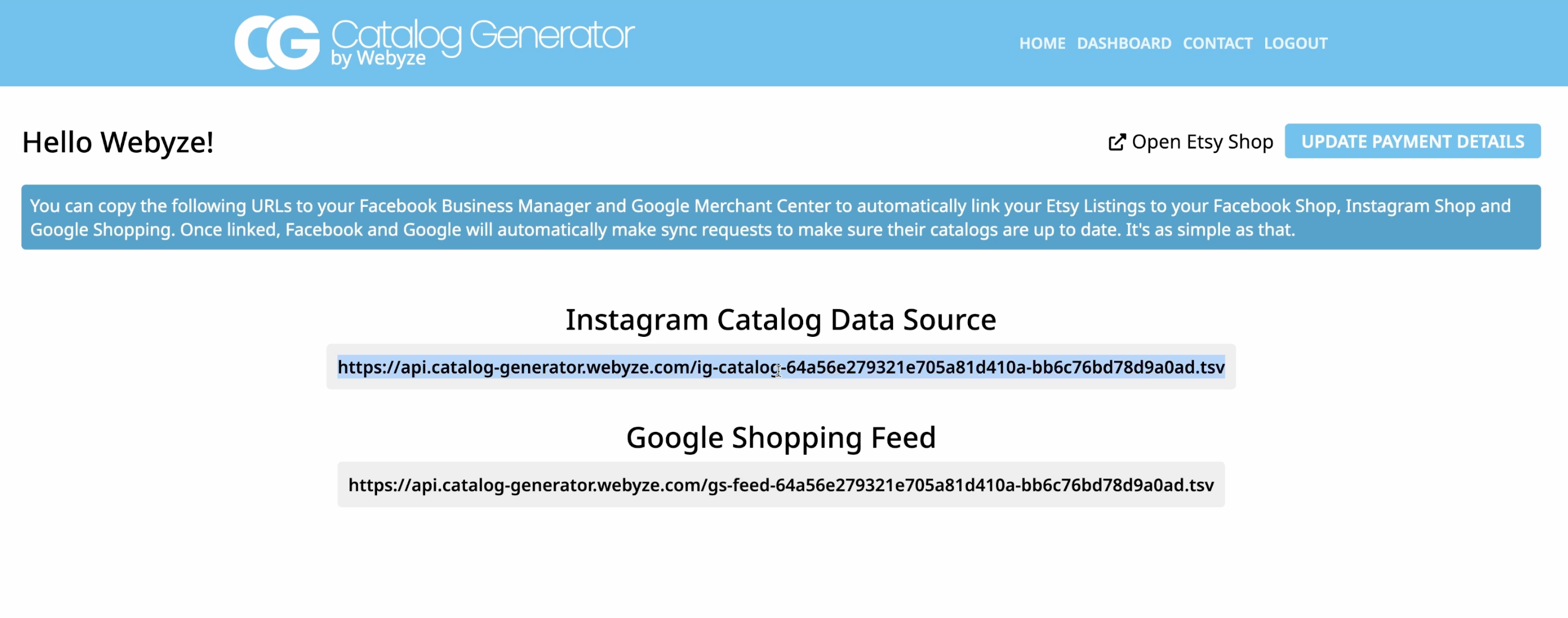
Catalog Generator for Etsy turns your shop listings into a feed URL you can use in Meta Commerce Manager. The same feed can also support Google Shopping, which makes it useful if you want the same product data to power more than one channel.
In practice, the app gives you a live data source instead of a file you have to export and re-upload by hand.
The Setup Flow
Here is the basic workflow I would follow:
- Connect your Facebook page and Instagram account in Meta Business.
- Verify the Etsy domain so Meta can accept the catalog connection.
- Create a catalog in Commerce Manager and choose Data Feed as the source.
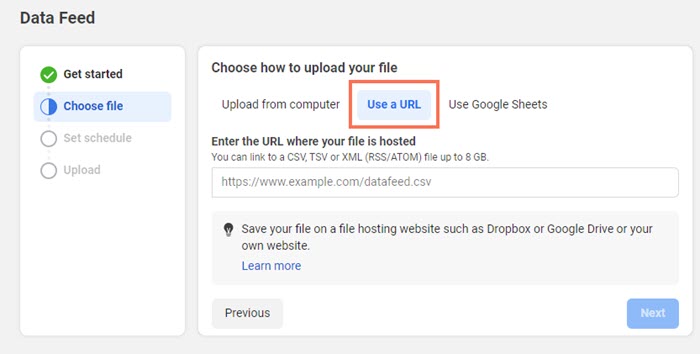
- Paste in the feed URL from Catalog Generator.
- Set a sync schedule so Meta refreshes the feed automatically.
- Review the catalog and submit any required approval steps.
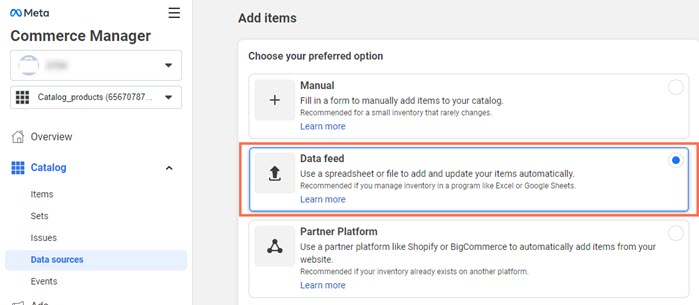
The important part is not just creating the catalog. It is making sure the feed source is the one from Catalog Generator so your shop updates keep flowing through the same connection.

The Part People Miss
The feed is only as good as the data behind it. Before you go live, make sure these details are tight:
- Your Etsy shop domain matches exactly what Meta expects.
- Your product titles are clear enough for social shoppers.
- Your images look consistent across the catalog.
- Your variants, prices, and availability are current.
- Your sync schedule matches how often you actually update listings.
If you need to clean up a messy listing set first, a bulk-edit pass can save a lot of time. I also wrote about How to Bulk Edit Etsy Listings Without Breaking Variations and How to Bulk Edit Etsy Listings Without Spreadsheet Chaos.
When This Is Worth It
This setup makes the most sense if you:
- Add or remove products often.
- Want product tags to stay aligned with your Etsy catalog.
- Need a lower-maintenance way to keep Facebook Shop and Instagram Shop in sync.
- Also want one feed that can support Google Shopping.
I wrote a broader walkthrough of the same workflow here: How I Set Up an Etsy Catalog Feed for Instagram and Google Shopping.
Pricing
Catalog Generator for Etsy is listed at $5 per month and includes a 100% 7-day free trial. That makes it easy to test the setup before you commit to the monthly plan.
Bottom Line
If your goal is to keep Etsy listings current in social commerce channels without doing manual uploads every time, this app gives you a straightforward path: verify the domain, connect the feed, set the refresh schedule, and let the catalog stay in sync.
If you want the simplest next step, start with the free trial and get the feed connected before you spend time polishing the rest of the catalog.
Comments
Post a Comment