If you like the design of a Squarespace site but want more control over hosting, the practical move is to export it to static files and move those files somewhere you own. That keeps the site portable, makes future changes easier to manage outside the builder, and gives you a cleaner exit path if the original setup stops fitting.
ExFlow.site is built for that workflow. You enter the Squarespace URL, choose what to export, and get static HTML, CSS, JS, and media you can host on Git, S3, FTP, or ExFlow's own hosting. It also supports Webflow and Framer if you manage mixed-builder sites.
What You'll Learn
- What a Squarespace export actually needs to include
- How to export the files without losing assets
- How to decide between Git, S3, FTP, or hosted delivery
- What to check before pointing visitors at the exported site

What ExFlow Should Pull Out of Squarespace
For most sites, the export is only useful if it preserves the structure that matters:
- all pages you want to keep
- CSS and JavaScript assets
- images and other media
- custom scripts or styles you rely on
- page files with
.htmlextensions
ExFlow is meant to handle that bundle in one pass. That matters because the file count is not the problem; the problem is keeping the site readable after it leaves the builder. If your homepage, product pages, or blog archive depend on navigation, CSS, and media all resolving correctly, the export has to be complete.
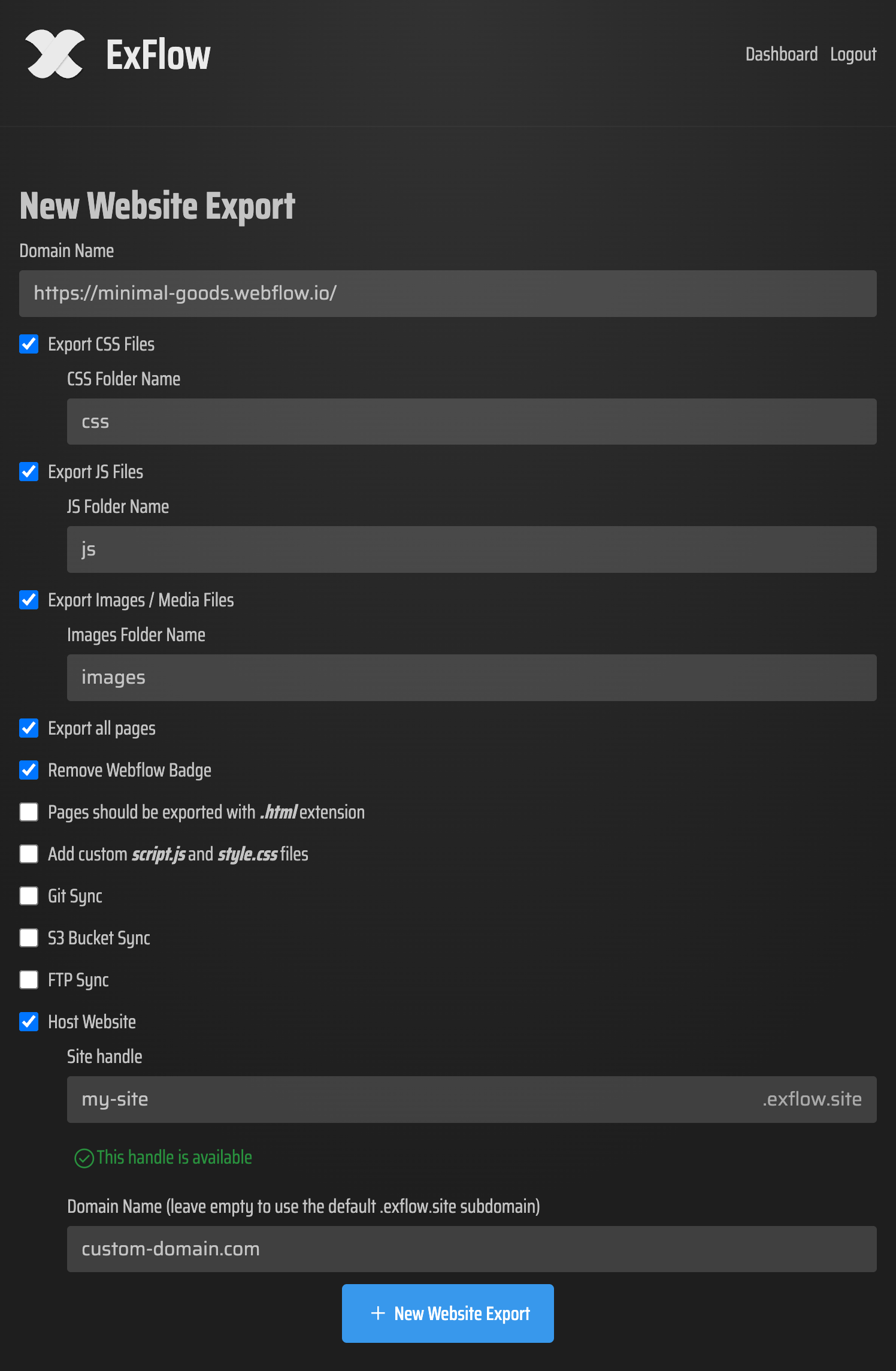
A good export workflow is usually boring in the best way:
- Start with the live Squarespace URL.
- Turn on the file types you actually need, especially CSS, JS, and media.
- Export all pages rather than a single landing page.
- Review the download or sync target before you switch traffic.
If the site is password protected, you should only export it when you have the credentials and permission to do so. The goal is to preserve your own site, not guess at missing content.
How I Decide Where the Exported Site Should Live
Once the files are out, the real decision is hosting. I usually think about it in three buckets.
Git
Choose Git when you want version history, pull-request review, or a clean way to track changes over time. It is a strong option if you already deploy static sites through a repository.
S3
Choose S3 when you want simple static hosting and a low-maintenance bucket-based setup. It is a practical fit when the exported site is mostly content and you do not need a heavy application layer.
FTP
Choose FTP if you already have a traditional server or an existing host that expects file uploads. This is the least fancy option, but it is often the most compatible with older infrastructure.
ExFlow hosting
Choose ExFlow's hosting when you want the shortest path from export to live site. That is the option I would start with if the main priority is getting a Squarespace site out of the builder without spending a weekend on deployment plumbing.

The decision is less about ideology and more about what you want to manage. If you are trying to reduce platform dependence, Git or S3 usually gives you the cleanest long-term ownership story. If you are trying to move quickly, built-in hosting is simpler.
The Checks I Would Not Skip
After the export, I would always test a few specific things before calling it done.
- Open the homepage and one or two deep pages.
- Check the header, footer, and navigation links.
- Confirm that images load from the exported asset paths.
- Make sure CSS is applying on mobile and desktop.
- Review any form, embed, or custom script behavior.
- Verify that the exported pages really are serving as static HTML.
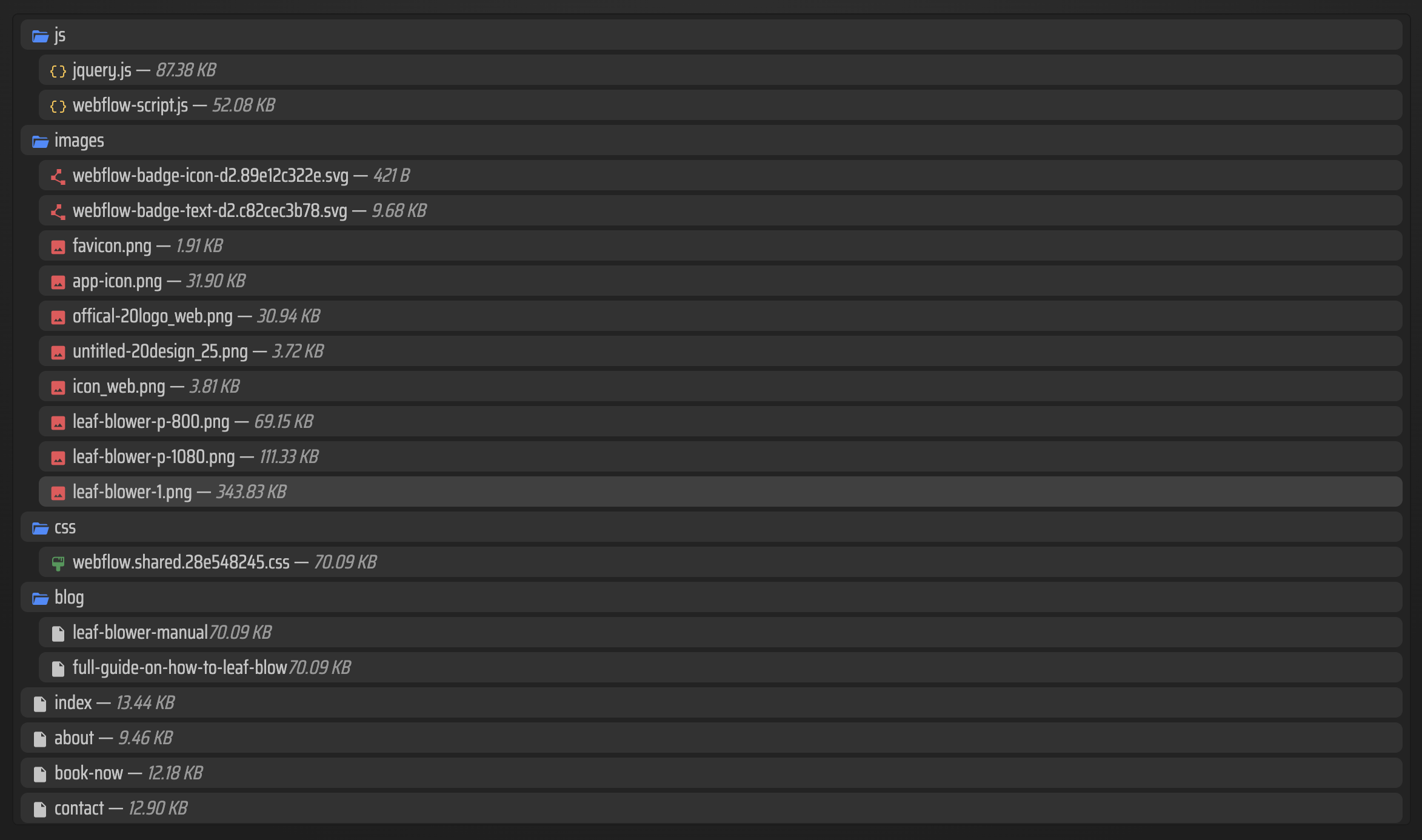
If something looks off, it is usually one of three issues:
- an asset path changed
- a page was not included in the export
- a script or style was added after the site was originally built and never captured in the export bundle
That is why I prefer to validate the export against a real page list, not just the main homepage. A Squarespace site can look fine at first glance and still hide missing assets deeper in the structure.
If You Are Comparing Other Builders Too
The same portability question shows up in other site builders. If you also move Webflow or Framer projects, these related guides are useful:
- How to Audit a Webflow Site Before You Export It
- How to Export a Squarespace Site to Git, S3, or FTP Without Rebuilding It
- How to Export a Framer Site to Static HTML Without Rebuilding It
- How to Export a Framer Site Without Breaking Links or Assets
Those are not Squarespace exports, but they help frame the same decision: keep the site portable, keep the files understandable, and keep the deployment path separate from the design tool.
A Simple Rule for Squarespace Exports
If you only need a published page and do not care about owning the files, staying in Squarespace is fine. If you want the site to survive outside the builder, export it before the next redesign forces a scramble.
ExFlow is the route I would use when I want a Squarespace site turned into files I can own, move, and host on my terms. Start with the live URL, export everything you need, and choose the hosting path that matches how much infrastructure you want to maintain.
If you want to try it, start at ExFlow.site and export one Squarespace site you already control.
Comments
Post a Comment