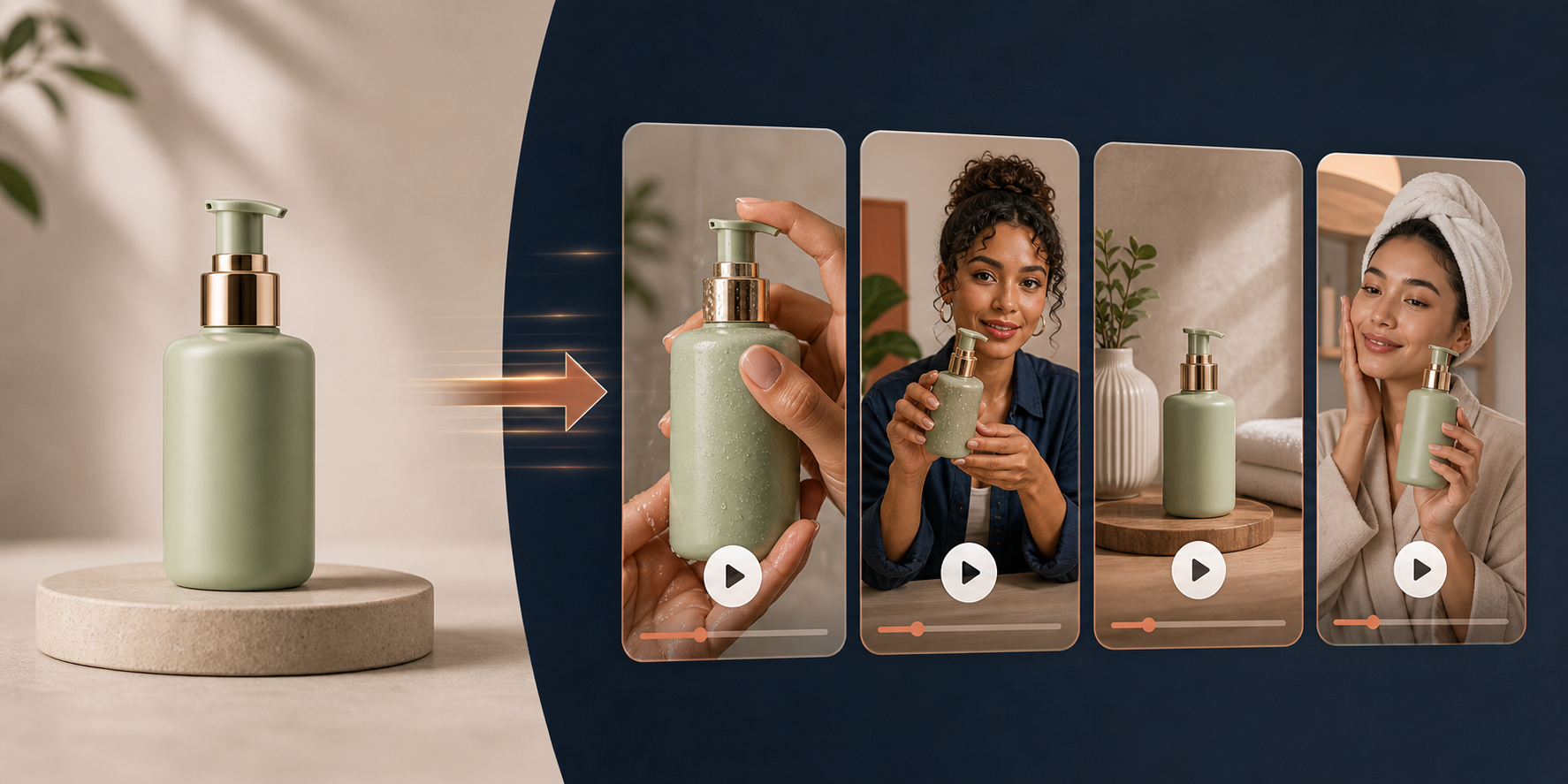
If you need more short-form product video but do not want to hire creators for every angle, the practical answer is to treat UGC-style video like a repeatable template. Supra UGC Maker gives you the pieces: avatars, scenes, scripts, speech, and product references, plus reusable projects for new variations.
I have seen stores get stuck with good photos and almost no video because every new concept turns into a new shoot. The faster path is to decide the hook first, then let the production step stay mechanical.
What you will learn
- How to choose the first product and angle
- How to build a simple avatar plus scene workflow
- How to test hooks without rebuilding the whole project
- Where these videos pay off across ads, pages, and email
Start With One Product And One Promise
The easiest way to use an AI UGC video generator is to resist the urge to cover everything in one clip. Pick one product, one audience pain point, and one promise. A moisturizer can focus on dryness. A backpack can focus on organization. A gadget can focus on the one task it makes less annoying.
If you already have a rough product brief, this is where it helps to split that brief into multiple angles instead of a single polished script. I covered that process in How I Turn One Product Brief Into Eight Shopify UGC Videos. The point is simple: one brief should become several testable hooks.
For the first pass, I would keep the promise simple:
- Problem solved: why someone should keep watching
- Proof: what the product actually shows or explains
- Action: what the viewer should do next

The Simplest Workflow Inside Supra UGC Maker
Supra UGC Maker is built around a workflow that stays manageable even when you need multiple versions. The app lets you choose a preset avatar or create a custom AI model, set the scene, add the Shopify product, write the script, choose voice and tone, and then generate UGC-style clips that you can reuse in later projects.
- Choose an avatar. Start with a preset if you want speed, or create a custom model when brand continuity matters more.
- Pick a scene. Keep the background aligned with the product. A skincare product does not need a warehouse look if you are selling calm and trust.
- Add the product. Make the product visible early enough that the viewer understands what is being shown.
- Write the script. Keep it short, specific, and close to the shopper's language.
- Generate, preview, and refine. Reorder, trim, update, and regenerate clips before you export the version you want to test.
That last step matters. If the tool lets you reuse scenes and projects, do not treat the first render as the final output. Treat it like a draft you can improve once the hook is working.
If the goal is paid creative, this is also where you can create a cleaner angle-by-angle system instead of one big asset dump. I go deeper on that kind of production thinking in How to Turn One Product Brief Into UGC Video Ads.
Test Hooks Before You Test Everything Else
When teams say a video "did not work," the issue is often that too many variables changed at once. The safest testing sequence is hook first, then scene, then avatar, then voice or tone, and only then CTA. That way you know what actually moved the result.
The visual board above is the kind of matrix I would use for the first round. If you want a more structured version of that idea, How I Build a Shopify UGC Video Test Matrix is the companion read.
For the first three variants, I would usually test:
- Problem-first hook versus benefit-first hook
- Studio scene versus lifestyle scene
- Calm voice versus direct, faster-paced voice
Use The Videos Where They Can Actually Help
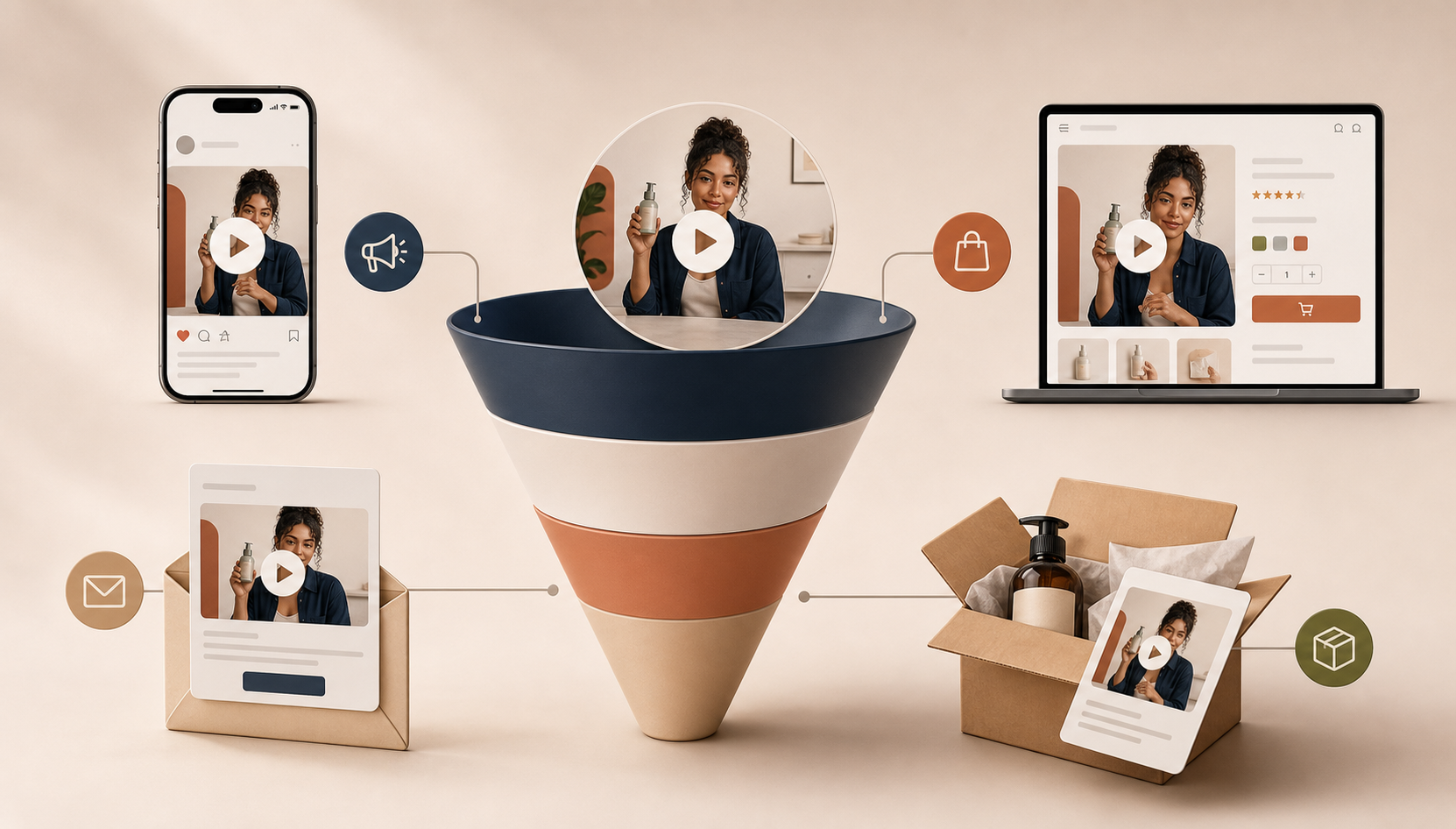
The same video does not need to do every job. A product page clip should explain or demonstrate. An ad should stop the scroll. An email video can create a preview or tease. A launch video should build curiosity. A post-purchase clip should reduce confusion and support the customer after checkout.
That is why I like keeping the workflow small and reusable. You are not making one perfect asset. You are building a set of assets that fit different parts of the funnel. The marketing map below is a good reminder of where those pieces belong.
If you are planning a launch specifically, How to Launch a Shopify Product With AI Avatar Videos is the more tactical next step. If you want the wider workflow around keeping variations organized, How to Keep Video Templates Diffable in Git With VideoFlow is the adjacent workflow.
Common Mistakes To Avoid
- Trying to say too much. A UGC-style clip works best when it has one job.
- Using the same hook every time. If all your videos start the same way, you are not really testing.
- Ignoring fit between product and scene. The scene should support the product story, not compete with it.
- Not reusing what works. If an avatar, tone, or background performs well, save it and build from it.
- Publishing without a placement. Know whether the clip is for product pages, ads, launch emails, or retention flows.
The practical advantage of Supra UGC Maker on the Shopify App Store is that it lets you keep those decisions in one place instead of splitting the workflow across script tools, editors, and ad teams.
Next Step
If you want more video without adding more production overhead, start with one product, one hook, and one clear CTA. Build the first version, compare it with one or two alternatives, and then reuse the winning scene or avatar instead of rebuilding from zero.
The cleanest next move is to try the free plan, make one UGC-style product video, and decide whether the workflow is worth scaling across ads and product pages.
Comments
Post a Comment