
How to Download a Squarespace Site as HTML Without Losing Dynamic Content
If your Squarespace site is starting to feel expensive or boxed in, the practical move is to export it to static files and host it yourself. I’ve seen this happen when a store owner wants more control over pages, assets, and deployment than the editor gives them. ExFlow is built for that job: it exports Squarespace sites as downloadable static content, and it can also handle Webflow and Framer when you need the same workflow elsewhere.

What you actually get from a Squarespace export
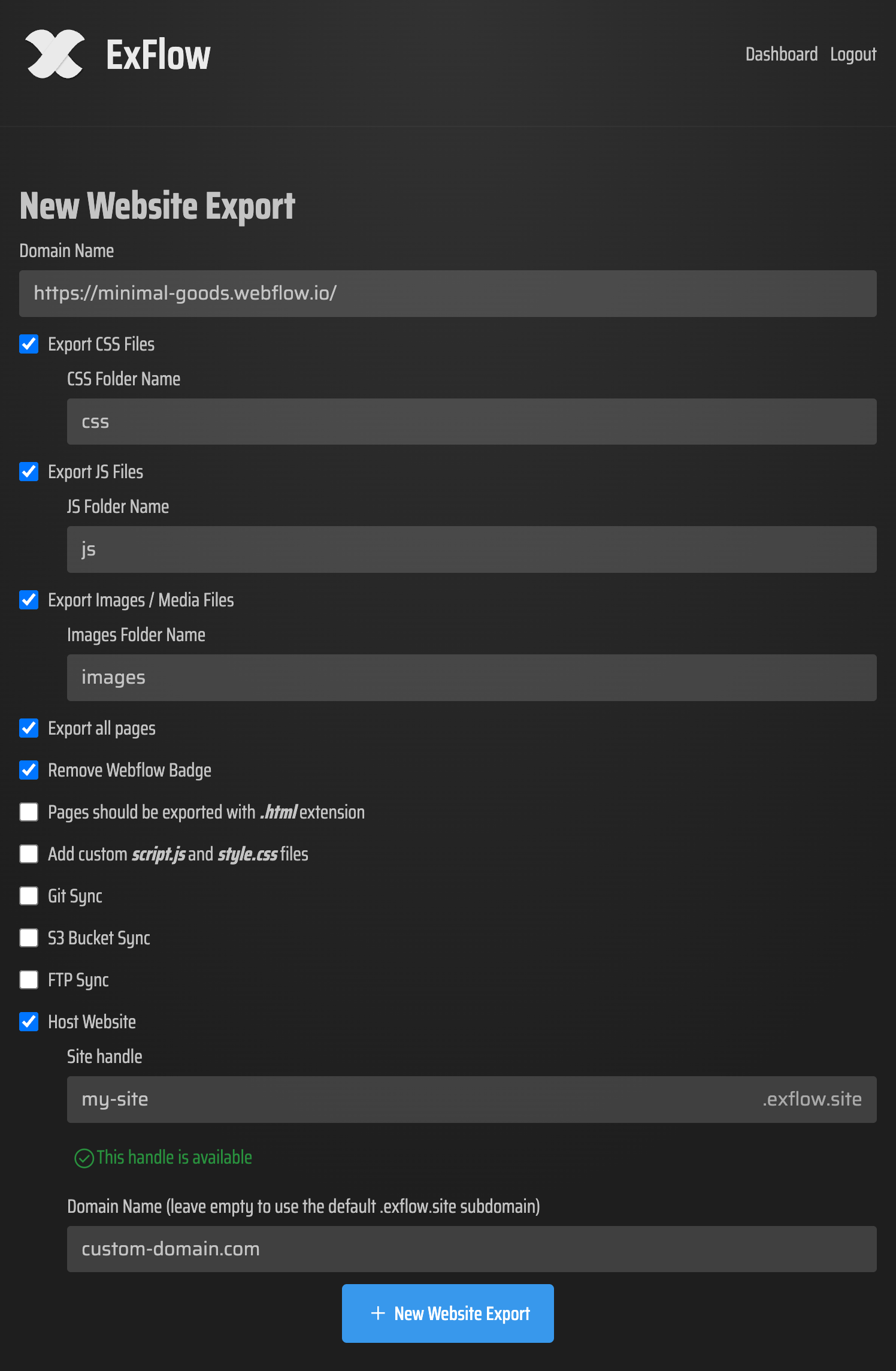
ExFlow is not just a “download the homepage” button. It can export the site URL, CSS files, JS files, images and media, and all pages, with pages saved as .html. It also supports custom script.js and style.css, plus sync options for Git, S3, and FTP.
That matters because the goal is not to keep a pretty shell. The goal is to keep a site you can inspect, move, and host without depending on a single platform forever.
For the wider export checklist, I wrote a companion guide on Squarespace to HTML: A Practical Export and Self-Hosting Checklist. If you are comparing builders, the same pattern shows up in How to Export a Framer Site as HTML and Self-Host It and How to Download a Webflow Site and Host It Yourself with ExFlow.
A simple export workflow
- Enter your Squarespace site URL in ExFlow.
- Choose what to export:
- CSS files
- JS files
- images and media
- all pages
- Add custom
script.jsorstyle.cssonly if your site needs it. - Export the site and review the output.
- Decide whether you want to download the package or sync it to Git, S3, or FTP.
If the site is password protected, ExFlow can still access it when you provide the password. That is useful when you’re moving a client site or rescuing an older build that is not publicly exposed.

What I check after the export
The first export is usually where the surprises show up. I look for three things:
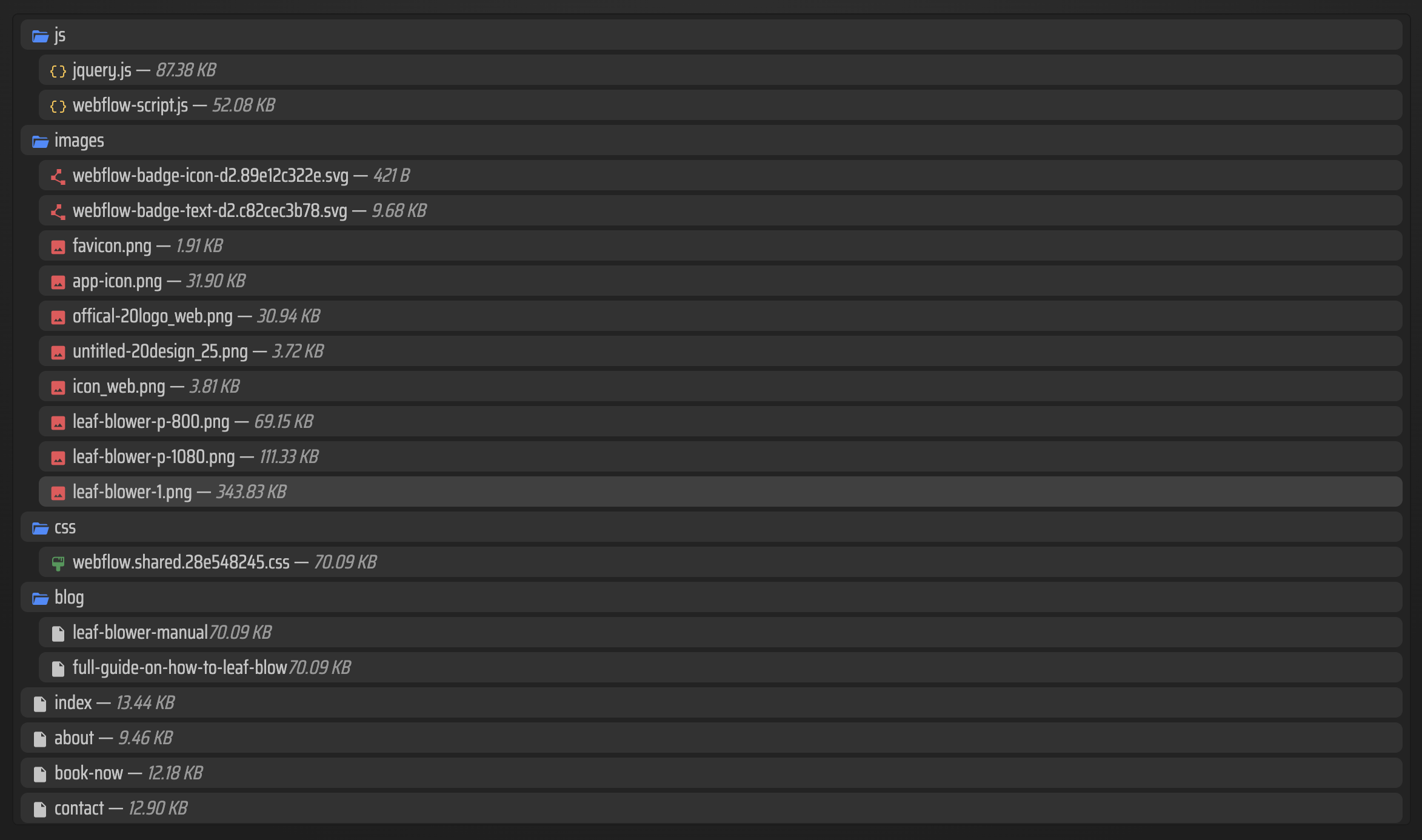
- Do the important pages exist as separate
.htmlfiles? - Did the CSS and JS assets come across cleanly?
- Did the images and media files stay intact, especially on pages with lazy-loaded content?
If those three checks pass, the export is usually in good shape. If they do not, the problem is usually not the idea of exporting itself. It is a specific asset or page pattern that needs another pass.
Where to host it
ExFlow gives you a few sensible paths after export.
Host it on ExFlow
This is the easiest option if you want the site handled on ExFlow’s servers. It also supports hosting status and unlimited bandwidth, which makes it a clean option when you want to move first and optimize the setup later.
Sync it to Git
This is the route I’d pick if you want a version-controlled workflow and easy deployments. It is also the most natural bridge to GitHub Pages or another static host. If that is the direction you want, the Git-based follow-up in How to Move a Webflow Site to GitHub Pages with ExFlow is a good reference even though the source site is different.
Sync it to S3 or FTP
S3 is a straightforward static hosting target when you want low-cost infrastructure. FTP is still useful when you already have a traditional server and just want the export pushed into place without a manual upload step.
If you like the broader migration angle, How to Export a Framer Site as HTML and Self-Host It is the Framer version of the same decision tree.
When ExFlow is the better fit
I would reach for ExFlow when the Squarespace site is good enough visually but too limiting operationally. That usually means one of three things:
- the monthly cost no longer makes sense for the amount of control you get,
- you want a local copy of the whole site instead of relying on the editor,
- or you need a more portable setup for hosting, sync, or client handoff.
That is the real value of a Squarespace exporter. You are not just saving files. You are turning a platform-bound site into something you can move and manage like a normal asset.
Bottom line
If your Squarespace site is starting to feel boxed in, export it to HTML, review the files, and pick a hosting path that gives you more control. ExFlow makes that move much less manual.
If you want the simplest next step, open ExFlow, run one export on a non-critical site, and inspect the generated pages before you make the hosting decision.
Comments
Post a Comment