A few times this month I caught myself rebuilding the same short video variation the hard way: nudging a title card, swapping a scene, re-exporting, then trying to remember which file was the approved version. That is the point where the editor stops feeling like a tool and starts feeling like a trap.
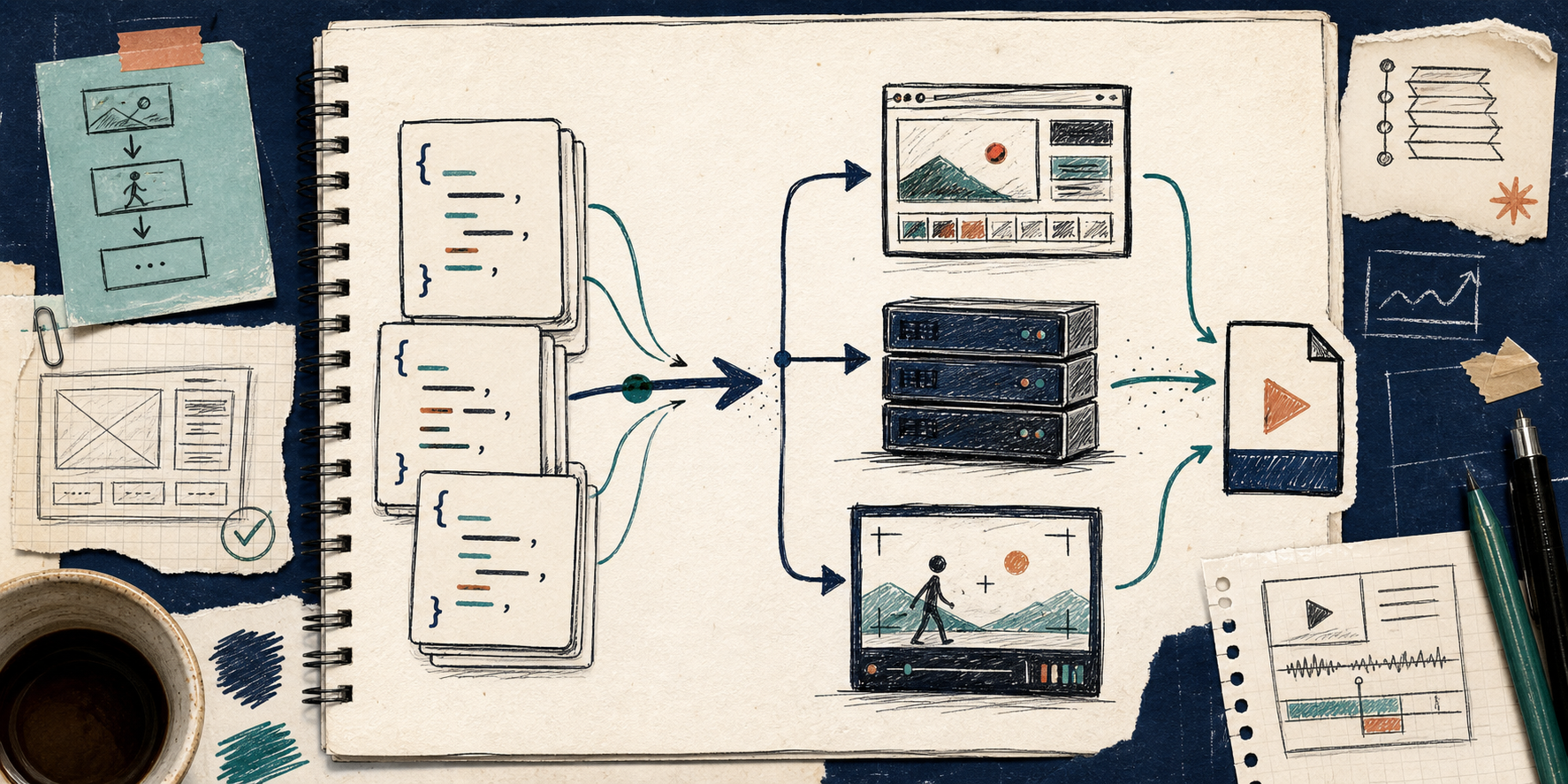
VideoFlow is the first stack I have used that pushes me in the other direction. It is an open-source toolkit for programmatic video work, and the core idea is simple: keep the template as portable JSON, then render that same structure in the browser, on a server, or in a live preview. The docs, playground, core API, renderers, React editor, and GitHub repo are all linked from VideoFlow, with deeper docs at docs, core, renderers, React video editor, and GitHub.
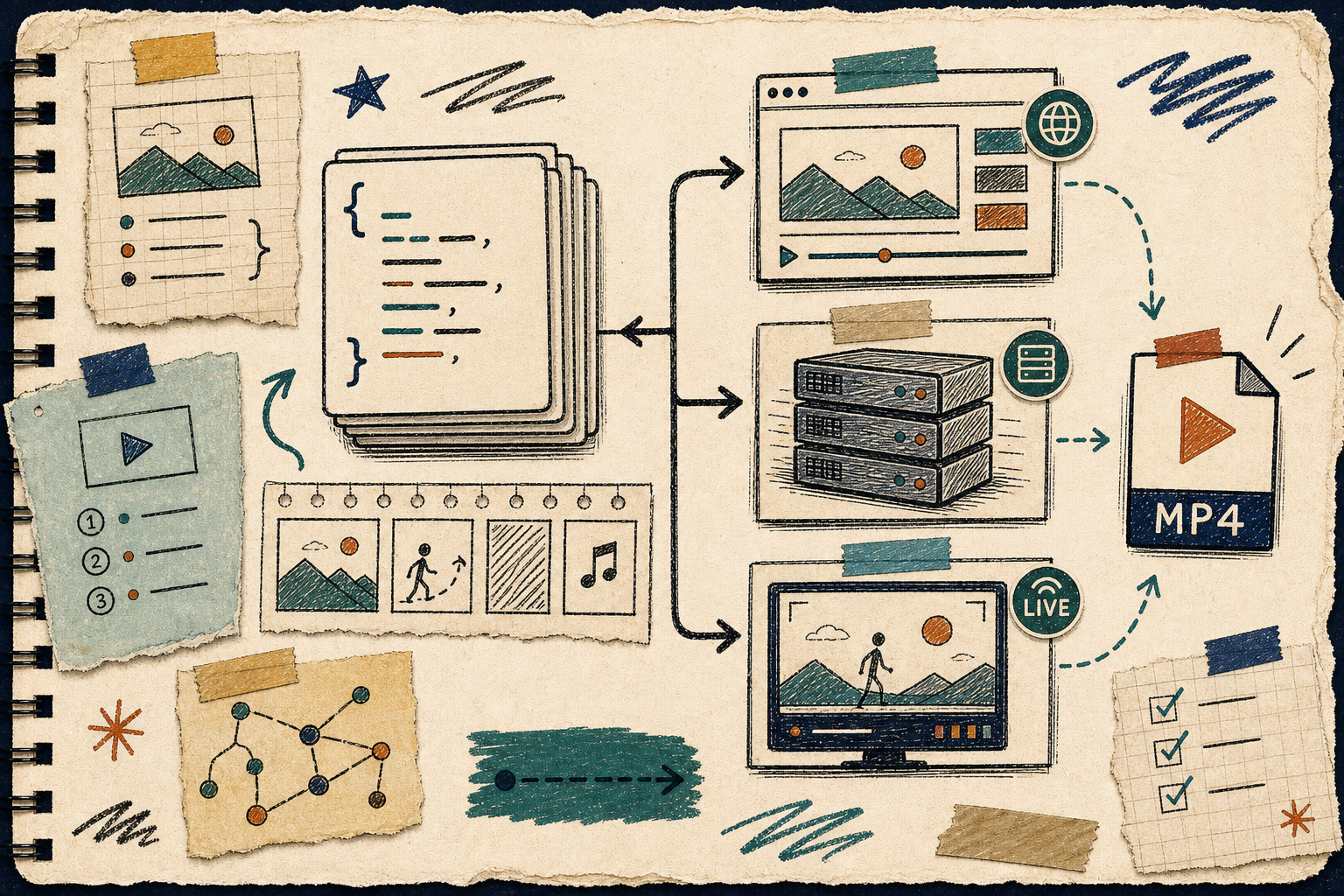
The reason this matters is not abstract architecture. It is repetition. If a video is a timeline only, every variation is a new manual job. If the video is data, the same structure can be versioned, diffed, templated, rerendered, and handed off to another environment without rebuilding the scene from scratch.
What I wanted from the workflow
I wanted four things:
- one source of truth,
- a format I could version in Git,
- a way to render the same template in more than one place,
- and an editor that sat on top of the data instead of replacing it.
That is where How to Generate MP4 Videos from JSON with TypeScript already pointed me: build the video from structured data first, then export it. VideoFlow takes that idea further because the JSON is portable. It is not trapped in one renderer or one interface.
A small example makes the shape obvious:
import VideoFlow from "@videoflow/core";

const $ = new VideoFlow({
  name: "Launch clip",
  width: 1920,
  height: 1080,
  fps: 30,
});

$.addText(
  { text: "New product", fontSize: 7, fontWeight: 800 },
  { transitionIn: { transition: "overshootPop", duration: "500ms" } }
);

const json = await $.compile();
const mp4 = await $.renderVideo();
That is the part I keep coming back to. The template is not the exported file. The template is the reusable thing. The export is just one output of that template.
The editor should not be the source of truth
I like visual editing when it helps a teammate move faster. I do not like it when the editor becomes the only place where the template exists.
VideoFlow’s React video editor is useful because it sits on top of the same structure. The timeline, inspector, keyframes, and preview are a surface for editing a portable model, not a replacement for it. That makes the editor safe to use in a product workflow because the underlying JSON still exists outside the UI.
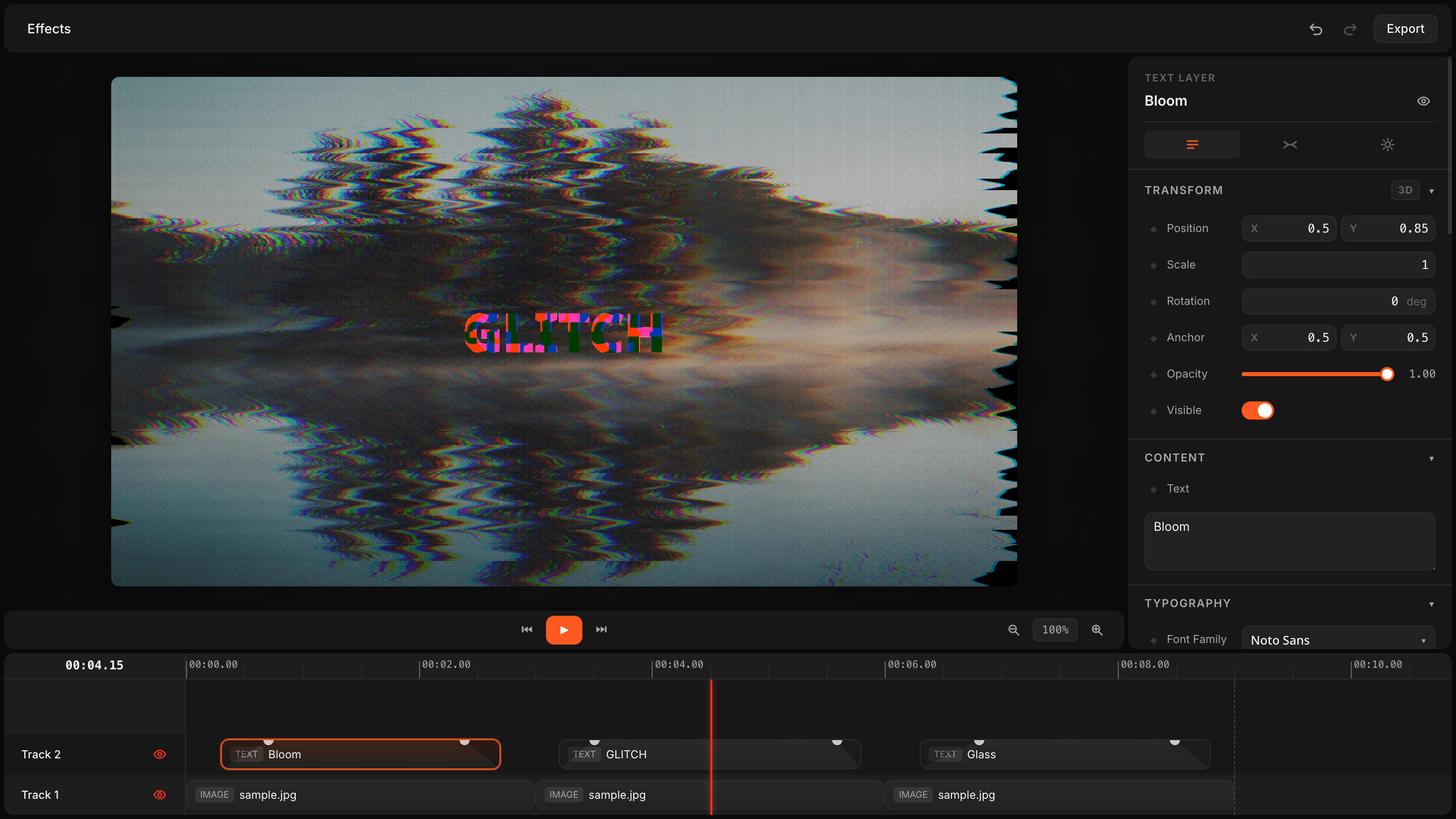
That separation is what makes the stack practical for a team. An engineer can keep the schema stable. A marketer can adjust a template. An agent can generate a structured scene. And the output can still be versioned and reviewed instead of living in somebody’s local project file.
I wrote more about that angle in How I Kept Video Templates Versionable in Git With VideoFlow, because once the template is diffable, the work stops feeling like a black box.

Why browser, server, and preview all matter
VideoFlow’s renderer split is not just a nice-to-have. It changes where the work can happen.
- Browser rendering is useful when the user is already in the app and you do not want to ship the project back to a server just to export an MP4.
- Server rendering is what I want for batch jobs, queues, APIs, or scheduled video generation.
- The DOM preview is what I want when I need a live, scrubbable editing surface that behaves like the real thing.
That is the same practical split I covered in How to Build a Browser-Based MP4 Export Pipeline with VideoFlow. The browser export story is strong on its own, but the bigger win is that the same VideoJSON can feed multiple render targets without rewriting the project.

That is the part that makes the workflow feel like software instead of a one-off creative exercise. One template, multiple render paths, fewer opportunities to drift out of sync.
Where I would use this
I would use VideoFlow for repeatable work:
- product demos from structured inputs,
- social video variants,
- marketing clips from product data,
- in-app video editors,
- automated explainers,
- and any workflow where the same scene needs to render more than once.
That is why How to Turn Product Data Into MP4 Videos with VideoFlow works as a companion piece. Once the input is structured data, the video becomes another output of the system instead of a hand-edited artifact.
If you want the more general pipeline view, How to Build a Video JSON Pipeline That Renders Everywhere With VideoFlow is the cleanest mental model: author once, render anywhere, keep the data portable.
Where I would not use it
I would not force this into every video workflow. If I need a highly bespoke one-off edit, a traditional nonlinear editor is still the right choice. VideoFlow is better when the work is structured, repeatable, and template-driven.
That is also why the open-source angle matters. VideoFlow is Apache-2.0, so the core and renderers are open rather than locked behind a closed rendering stack. For teams building internal tools, SaaS editors, or automated video pipelines, that changes the maintenance story.
The test I would run first
If I were evaluating this today, I would do one small test:
- Pick one video template.
- Keep the scene data in JSON.
- Render it once in the browser and once on the server.
- Open the React editor only after the JSON shape feels stable.
- Check whether the template is still easy to diff in Git.
If that works, the workflow usually scales better than a pure timeline-first process.
Start with the homepage, skim the docs, and try the playground. If you want the code path, install @videoflow/core and render one small template before you commit to anything larger.
The shift for me was simple: stop treating the exported video as the source of truth. Keep the source of truth in JSON, and let export be the last step.
Comments
Post a Comment